Find a local Microsoft helper in NSW
Fill in a short form and get free quotes for professional Micosoft help services in NSW
Great rating - 4.2/5 (11114+ reviews)
Need help with Microsoft?
- Installation
- Troubleshooting
- Synching
- Reinstallation
- … or anything else
Best rated Microsoft technicians near me

Latest Review
"Fantastic work!! Posted the job and Micheal was here the same arvo. Connected everything up, explained everything and a ..."
Verified Badges

ID Verified

Payment Method Verified

Mobile Verified

Latest Review
"He was great and knew what he was doing. Went the extra mile "
Verified Badges
ID Verified
Mobile Verified

Commbank Identified

Latest Review
"Excellent Service will use again "
Verified Badges
ID Verified

Coles Badge
Payment Method Verified
Mobile Verified

LinkedIn Verified

Latest Review
"Very knowledgeable and professional IT airtasker. Would recommend "
Verified Badges
ID Verified
Mobile Verified


Latest Review
"Would have no hesitations recommending Yanice. Excellent knowledge of network administration and just a nice human."
Verified Badges
ID Verified
Mobile Verified

Latest Review
"It's a great relief to know Sayed is there to help us with our many IT issues. We highly recommend him."
Verified Badges
ID Verified
Mobile Verified

Latest Review
"Very astute, reliable and patient "
Verified Badges
ID Verified
Mobile Verified
Recent Microsoft Help reviews in NSW

Needed a new laptop setup. Solution oriented, great communicator, valuable advice, hints and tips! Overall an easy experience with a professional expert.
Set up brand new out of the laptop with Microsoft office, antivirus..
$90
Anthony was good enough to come the evening of my afternoon task set. He was efficient, polite and fixed my issue completely, with a lesson thrown in. Highly recommended.
Microsoft Excel expert
$120

Great Guy, very helpful
Computer Microsoft Set Up & Program install
$50
Friendly,knew exactly what to do,and where to look.
Laptop forgot password and microsoft issues
$100
Gabriel was very efficient & easy to work with
Set up imap email in Microsoft 365 Outlook new version etc
$50

Super fast and extremely efficient
Microsoft surface and Dell laptop
$100
What's the average cost of a Microsoft technician in NSW
$78 - $195
low
$78
median
$127
high
$195

Average reviews for Microsoft Help Services in NSW
based on 46 reviews
4.87
What is Airtasker?
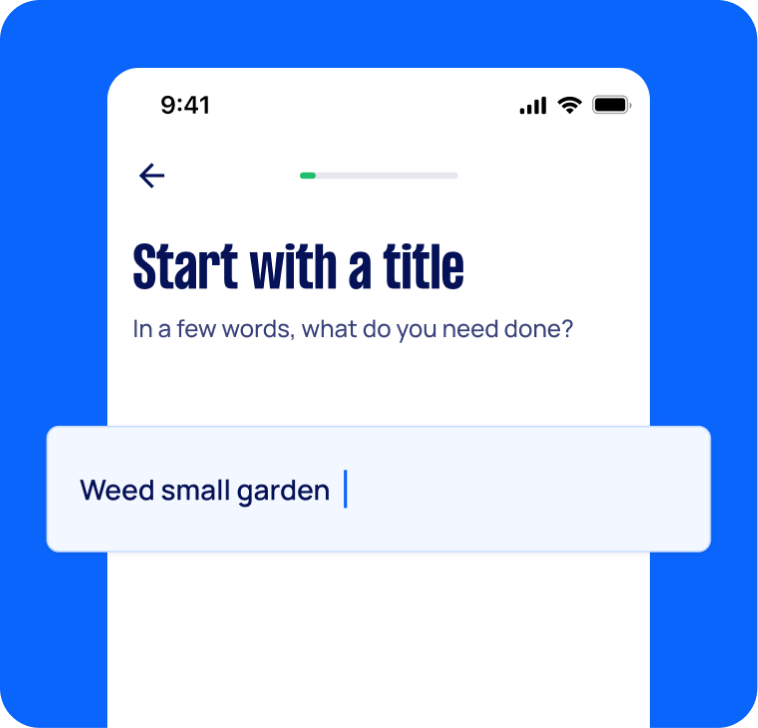
Post your task
Tell us what you need, it's FREE to post.
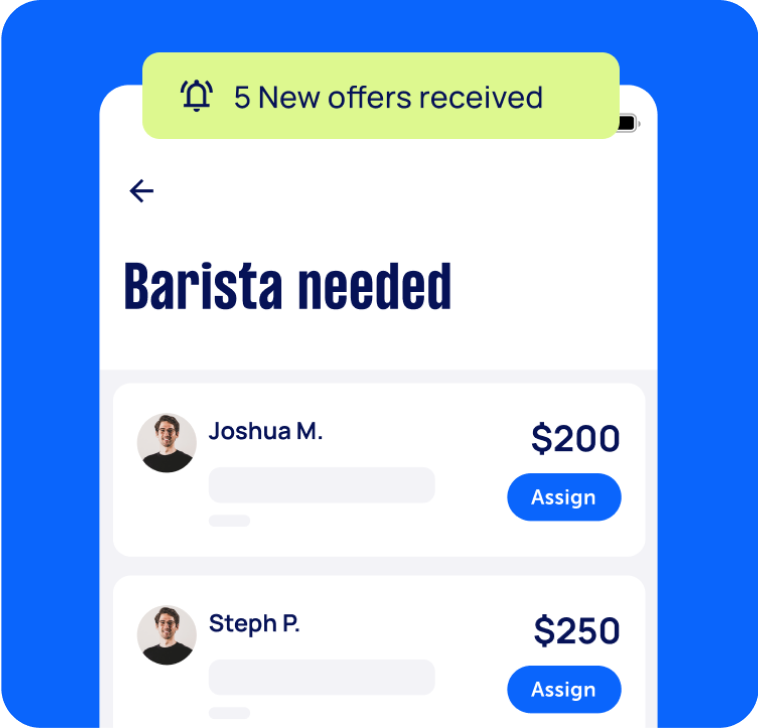
Review offers
Get offers from trusted Taskers and view profiles.
Get it done
Choose the right person for your task and get it done.
59+
Tasks successfully completed
5
Average amount of offers per task
3
mins
Average time to receive offers
Computers & IT Services
Android App Development
App Development
Apple Help
Apple Mac Repairs
Bluetooth Help
Computer Backup Help
Computer Hardware
Computer Support
Computer Training
Computer Upgrades
Email Setup
File Conversion Help
Firewall Setup
Google Chrome Help
Home Network Setup
HTC One Repair
iCloud Setup
iMovie Help
Internet Help
iOS Development
iPhone Help
iPhone Repair
iPhone Screen Replacement
iPod Repair
IT Support
iTunes Help
Keynote Help
Laptop Repair
Linux Help
Mac OS Help
Mac Setup
Macbook Air Repair
Macbook Repairs
Malware Removal
Microsoft Access Help
Microsoft Excel Help
Microsoft Office Help
Microsoft Onedrive Help
Microsoft Onenote Help
Microsoft Outlook Help
Microsoft Powerpoint Help
Microsoft Windows Help
Microsoft Word Help
Mobile App Development
Network Troubleshooting
Operating System Installation
Organise Computer Folders
Printer Help
Router Modem Setup
Scanner Setup
Screen Repair
Server Upgrading & Support
Skype Help
Software Help
Speed Up Computer
Troubleshooting
Virus Removal
VPN Setup
Wifi Extender Setup
Wifi Help
Windows Help
Windows Installation
Computer Repairs
Technical Support
Data Recovery
Related Locations
Suggested reads about Microsoft Help



Recent Microsoft Help tasks in NSW
Microsoft 365 / IT Setup for Small Business – In Person
$150
Bondi NSW 2026, Australia
29th Aug 2026
Full reset/clean setup of our current computer, as we’re having some ongoing issues • Set up and organise our existing business email • Set up an additional business email/user account if required • Set up individual OneDrive accounts and make sure files are syncing correctly • Advise whether we should be using SharePoint for shared business files, and set this up if appropriate • Set up our brand-new business/store phone • Sync the phone appropriately with the computer/Microsoft 365 accounts • Make sure emails, calendars, contacts, files and relevant Microsoft 365 services are working properly across devices • Generally tidy up the system so it is secure, organised and easy for us to use going forward • Provide some basic guidance on how everything has been set up
Onsite Tech - Microsoft Issues
$60
Jewells NSW 2280, Australia
26th Aug 2026
The customer requires assistance with her Microsoft, that she cannot follow which asking her to do.
Microsoft 365 Consultant (SharePoint, Entra ID, Windows 11 Security)
$2,000
Wollongong NSW 2500, Australia
25th Aug 2026
Small Australian business seeking an experienced Microsoft 365 consultant to review, secure and optimise our environment. Current Environment • Microsoft 365 Business Basic • 5-6 internal users • 1-3 company-owned Windows 11 PCs • SharePoint Online • Monday.com • 50 external users requiring read-only access • 10 external contractors requiring edit access Scope of Work • Configure and secure SharePoint sites, document libraries and permissions. • Set up secure read-only access for external statement recipients and controlled edit access for contractors. • Review and configure Microsoft Entra ID, user groups, MFA and security settings. • Lock down and secure Windows 11 PCs using best-practice security controls. • Create Power Automate workflows for notifications, approvals and document processes. • Integrate SharePoint Excel files with Monday.com so Monday fields automatically update when Excel data changes (one-way sync: SharePoint Excel → Monday.com). Deliverables • Completed configuration and implementation • Security recommendations • Documentation of changes • Knowledge transfer session • Licensing recommendations (including whether upgrading from Business Basic is beneficial) Required Skills • SharePoint Online • Microsoft Entra ID • Microsoft 365 Administration • Power Automate • Monday.com API • Microsoft Graph API • Windows 11 Security Please provide: • Relevant experience and certifications • Examples of similar projects • Fixed-price quote or hourly rate • Estimated effort required
Looking for a IT expert to fix MacPro Microsoft 365 problem
$50
Bondi Junction NSW 2022, Australia
24th Aug 2026
having activation issue with Microsoft 365 even though the licence has been renewed. Needs someone who knows how to fix MacPro
Microsoft 365 and outlook issues
$200
Mount Druitt NSW 2770, Australia
12th Aug 2026
Since Outlook changed from classic, have not been able to get my email files back as it just stopped allowing me to open it. Also need help setting up correct MS 365 application. Have a shared account.
Sorting out Microsoft, emails & smooth running if computer
$150
Bulli NSW 2516, Australia
2nd Aug 2026
HP laptop & computer Emails needs to be installed Microsoft excel needs attention Photo gallery ? Check AVG to see if running correctly


Marko was excellent he knows his stuff ! Arrived on time and communicated with clarity, fixed all problems. Would recommend him.
Connect outlook calendar & contatcs to my ph & other microsoft issues
$100
Lilli Pilli NSW 2229, Australia
26th Jul 2026
Microsoft and Microsoft 365 issues

Incredibly helpful and patient I would thoroughly recommend Michael to anyone
IT professional to migrate Email from Titan to Microsoft 365
$800
Leppington NSW 2179, Australia
23rd Jul 2026
We are looking for an experienced IT professional to manage a migration from Titan Email (Hostinger) to Microsoft 365 Business Standard. The Scope: 1. Migration: Migrate 14 mailboxes from Titan to Microsoft 365.Domains: 2. Configure 2 separate domain names (DNS hosted at New Domain) into one M365 tenant. 3. On-Site Setup (4 Laptops): Setup 4 new HP laptops with Windows BitLocker, install Office Desktop Apps, and configure Outlook with a specific folder structure. 4. Networking: Setup OneDrive for Business folders with permissions for field staff. Requirements: • Must have experience with IMAP Migrations (Titan/Hostinger experience is a bonus). • Must be available to come on-site to Leppington NSW 2179 for the laptop setup. • Must ensure zero data loss of historical emails.
Home PC set up with Microsoft suite.
$70
Sydney NSW 2031, Australia
22nd Jul 2026
Looking for someone that can assist us with the setup of our personal home PC we have purchased the Microsoft suite but can’t seem to get it set up effectively we would also value someone that could add further enhancements to our home PC set up such as calendar connection phone connection etc.


Completed the task and was very attentive during communications.
Need someone to help setup my Microsoft Teams account
$250
Surry Hills NSW 2010, Australia
3rd Jul 2026
Description: I run a small business (construction tech/SaaS) and need help sorting out a messy Microsoft Teams and email setup. Current situation: I have a personal Microsoft Teams account linked to [email protected] I also have a separate business Teams account under a different email (something like leigh.caprile@docubuilder...) that I set up by mistake or as a trial I want my business Teams account to run under [email protected] instead My actual email and business stack run on Google Workspace, not Microsoft — but a lot of the construction industry works off Teams, so I need to be able to use Teams properly (join meetings, chat, calls) under my correct docubuild.io identity without it being clunky I've had ongoing issues with emails not sending properly, which I think is related to this mismatched setup What I need: Figure out whether these are separate Microsoft tenants or the same one, and the cleanest way to consolidate down to one Teams identity under [email protected] Advice on whether I need a Microsoft 365 licence at all given I'm on Google Workspace, or whether a Teams-only/free option is enough for external meetings Fix the underlying issue causing email delivery problems End result: one clean, reliable way to use Teams under my correct business email, with no more email sending issues Happy to do this over a screen share (Zoom/Google Meet). Looking for someone with solid Microsoft 365 admin/Teams admin experience, ideally who has dealt with mixed Google Workspace + Microsoft Teams setups before.
Microsoft 365 setup on two computers in Westmead 2145
$1,000
Westmead NSW 2145, Australia
30th Jun 2026
Two new computers to be setup on strata complex site on Bridge Rd in Westmead. VentraIP's Business Standard offering. Website already hosted by VentraIP. Monarco.com.au. One laptop, one all-in one. two email accounts, shared on both devices. On-site installation is essential. Need to live within 5-10KM of Westmead or in Parramatta please.
Sound knowledge of the job and completed quickly
Microsoft 365 to Google Workspace Migration + Apple Device Setup
$300
Castle Hill NSW, Australia
8th Jun 2026
I am looking for an experienced IT professional to assist with migrating my business email from Microsoft 365 to Google Workspace (Gmail). Current setup: • Custom domain email address • Microsoft 365 hosting • MacBook, iPhone and iPad Tasks required: • Migrate all emails from Microsoft 365 to Google Workspace • Transfer contacts and calendars • Update DNS/MX records as required • Set up Gmail correctly across all devices • Ensure calendars, contacts and email sync seamlessly between MacBook, iPhone and iPad • Test everything thoroughly to ensure no loss of emails or data Requirements: • Proven experience with Microsoft 365 to Google Workspace migrations • Strong Apple ecosystem knowledge • Ability to provide guidance and support throughout the process • References or reviews for similar work preferred Please outline your experience with similar migrations when responding. Happy for the work to be completed remotely if appropriate.
IT - Microsoft problems
$200
Willoughby East NSW 2068, Australia
8th Jun 2026
Lost files that were recently updated
Set up printer and add aussiebb account to Microsoft Outlook
$60
Gables NSW 2765, Australia
3rd Jun 2026
We have recently had our desktop upgraded. The printer is connected to wifi and set as default printer but print jobs are sitting in the print queue, I need this fixed. Also, I have an Aussie BB email address that I would like added to Microsoft Outlook. I have tried to do it and have selected IMAP but it is not adding. I can log into Aussie BB through the Aussie BB webmail page but would like it in Microsoft Outlook for convenience.

Stayed arrived on time and quickly diagnosed and fixed our computer and printer issues. I highly recommend Sayed.
Personal computer management Microsoft accounts and go daddy accounts
$200
Mosman NSW 2088, Australia
24th May 2026
Help to manage/coordinate personal and professional (personal business) iCloud, M365 and GoDaddy accounts
Replace battery in a Microsoft Surface Pro 4
$120
Dover Heights NSW, Australia
16th May 2026
I have an old Surface Pro 4 that needs its battery replaced. I have purchased the IFIXIT kit (https://www.ifixit.com/en-au/products/surface-pro-4-battery) but now looking at the steps (https://www.ifixit.com/Guide/Microsoft+Surface+Pro+4+Battery+Replacement/60358), I am not confident in completing this replacement myself. All parts will be provided - so the job is to follow the above steps and perform the battery replacement without damaging the computer or screen.
New laptop microsoft business account set up
$100
North Strathfield NSW, Australia
12th May 2026
I am currently setting up a new laptop for one of our employees. I am the Global Admin for our company’s Microsoft account environment. At the moment, the laptop is using a local account, but I am unable to switch it to the employee’s company Microsoft account. The device is already running Windows 11 Pro. We would like to arrange for a technician to assist in resolving this issue and properly connect the laptop to the company Microsoft account environment. You can visit our office or I can bring devices to you if within the metro area. Thanks
Great service Will recommend
Tech savy person to speed up and compress files on a Microsoft laptop
$50
Castle Hill NSW 2154, Australia
4th May 2026
I need someone that to text savvy just to compress some files on my Microsoft laptop as it’s running slow

Amazing service, sorted all issues
Fix trackpad on Microsoft surface pro
$30
Paddington NSW, Australia
29th Apr 2026
Need somebody to replace the hardware (?) trackpad on my laptop. Laptop was dropped and the track pad has become dislodged. It is functioning for clicking but cannot click and drag while using the trackpad. - Due date: Flexible
Microsoft SHAREPOINT Build a 5–6 Page Internal SharePoint Site
$550
Marrickville NSW, Australia
26th Mar 2026
MUST BE MICORSOFT SHAREPOINT 🧱 Site Structure (6 Pages Max) 1. 🏠 Home (Landing Page) Purpose: Central dashboard Sections: Quick Links (Football, Events, Admin, Documents) Announcements (training updates, events) Calendar (fixtures + events) Contact tiles (Key staff) 2. ⚽ Football Operations Purpose: All football-related info Sections: Training schedules (embed calendar or list) Team contacts (coaches, managers) Policies (Code of Conduct, Handbook) Matchday checklist (simple list) 3. 🎟️ Events & Functions Purpose: Event planning + operations Sections: Upcoming events list Event run sheets (templates/doc library) Booking process (simple steps) Supplier contacts (security, bar, etc.) 4. 🧾 Administration Purpose: Internal governance + finance Sections: Forms (expense claims, onboarding) Key documents (policies, constitution) Meeting minutes (board/committee) Compliance (FNSW, RSA, etc.) 5. 👥 People & Contacts Purpose: Who does what Sections: Org structure (Board / Football / Ops) Key contacts with roles Escalation pathway (who to contact) 6. 📂 Document Hub Purpose: Central file storage Structure: Football Events Finance Governance ⚙️ Build Requirements (Keep it Simple) Use modern SharePoint pages Add: 📌 Quick Links web part (Home) 📅 Events/Calendar web part 📄 Document libraries (per page) 👤 People web part (contacts) Keep navigation top-level: Home | Football | Events | Admin | People | Documents


Santosh is great, knows how to do what was asked and did it well. Can and would like to work again