Find a professional troubleshooting technician near you
Fill in a short form and get free quotes from computer troubleshooting experts near you
Great rating - 4.2/5 (11114+ reviews)
Need a computer maintenance technician?
- PC troubleshooting
- Motherboard troubleshooting
- Hardware troubleshooting
- Troubleshooting slow computers
- Software troubleshooting
- … or anything else
Best rated computer troubleshooters near me

Latest Review
"Job to be continued as no NBN ADAPTOR for NBN box"
Verified Badges

ID Verified

Payment Method Verified

Mobile Verified

LinkedIn Verified

Latest Review
"Friendly, professional and easy to communicate with. Took the time to look into the issue and was helpful throughout. Ap..."
Verified Badges
ID Verified
Payment Method Verified
Mobile Verified

Latest Review
"Nice work no issues "
Verified Badges
ID Verified
Mobile Verified
LinkedIn Verified

Latest Review
"Last minute call out and Renato responded super quickly "
Verified Badges
ID Verified
Mobile Verified

Latest Review
"Rob solved our computer problems. Was prompt and arrived on time. Definitely would use again."
Verified Badges
ID Verified

Coles Badge
Payment Method Verified
Mobile Verified

Latest Review
"Deepak is very prompt in communication, and his job is very clean. Highly recommend him"
Verified Badges
ID Verified
Mobile Verified

Latest Review
"Arjun, was very quick and efficient in completing the job. He is very knowledgeable. "
Verified Badges
ID Verified
Mobile Verified

Latest Review
"Perfect service. Detailed orientat"
Verified Badges
ID Verified
Mobile Verified
Recent Troubleshooting reviews

excellent thank you very much
MacBook Wi-Fi Troubleshooting
$10

Excellent service, great communication. Completed the job quickly and efficiently.
WiFi Troubleshooting
$50

I spent 5 hours trying to configure this new wifi system. He did it in 10 minutes. Cannot recommend him enough.
Need someone to troubleshoot wifi extender
$100

Nice and friendly guy, gives you the best options and willing to go the extra mile to give help you out.
Troubleshooting my pc, built today and can’t get past the bios.
$150
Incredible work by Philip, I’ve had an issue with my microphone and setup for months - it’s now fixed. Better yet had a secondary issue with overheating over a PC he’s picked up. Unreal support.
Troubleshoot my USB Microphone sound quality
$45
What's the average cost of a computer troubleshooter
$80 - $180
low
$80
median
$117
high
$180

Average reviews for Troubleshooting Services
based on 101 reviews
5
What is Airtasker?

Post your task
Tell us what you need, it's FREE to post.
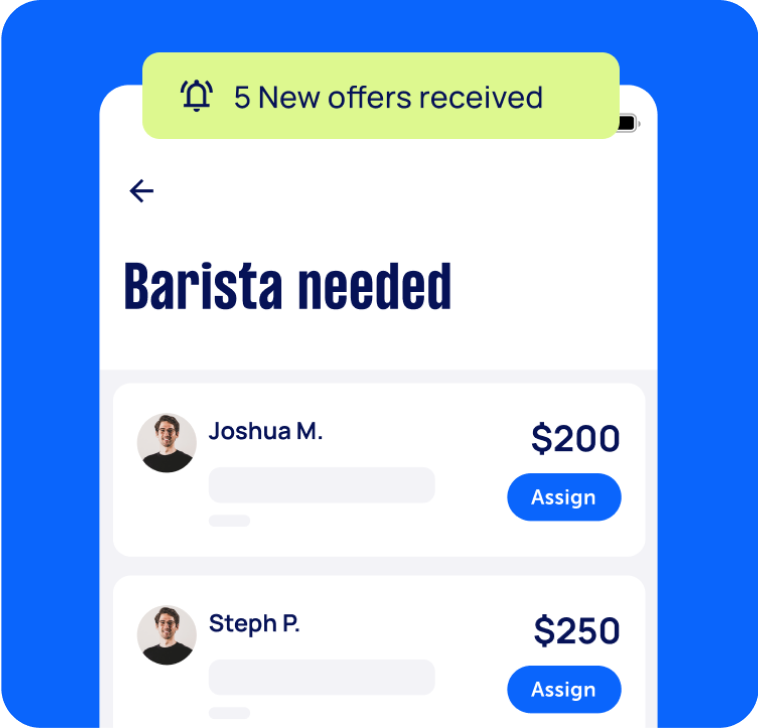
Review offers
Get offers from trusted Taskers and view profiles.

Get it done
Choose the right person for your task and get it done.
124+
Tasks successfully completed
2
Average amount of offers per task
6
mins
Average time to receive offers
Why book a troubleshooting service through Airtasker?
If you're having trouble with your computer, Airtasker is a great place for you to get help! Whether you're browsing on a PC or scrolling through your phone, our platform is easy to use. Put up a task for computer troubleshooting, and watch specialists send in offers within the next 24 to 48 hours.
With our interface, you can easily compare costs, clarify concerns, and pick the right person for your troubleshooting job. Say goodbye to contacting your computer supplier or going through hundreds of DIY forums, especially when they're difficult to do with a slow computer. Everything you need to choose a Tasker will be available on one web page here on Airtasker.
There are tons of computer maintenance and troubleshooting services and guides online, but our platform makes connecting to the best person for the job faster and hassle-free. Hiring a PC troubleshooting professional may save you costs in the long run and prevent you from wasting any more time. Plus, it only takes selecting that pink 'Post a Task' button to get started.
Offers in no time
Local, skilled pros
Real reviews
Flexible pricing
Top Troubleshooting related questions
Identify any software causing the slowdown and exit software programs through the Task Manager in your computer. Then, check your browser and internet if there are any alerts of slow connections. Lastly, reboot your computer. If none of these work, consult with a specialist on motherboard troubleshooting to look into the PC hardware.
Restarting your PC is also called a reboot because it does just that. It clears the memory, stopping any tasks eating up your RAM. When your RAM isn't enough to keep up with your activities on the computer, it will slow down and eventually crash. Rebooting isn't a long-term solution, so consider this as a way to free up space while you get help temporarily.
The fastest way to know is by running antivirus software on your computer. Other tell-tale signs include abrupt slowness, more frequent crash alerts, missing files, and unexpected popups. This can happen if you visit a site that you don't normally frequent or connect a corrupted memory drive.
Yes, this is possible. While hardware troubleshooting may need a Tasker to check the computer physically, several steps can be done remotely. For example, a Tasker can guide you to remove all the apps that run in the background for no reason, which could drain your battery and slow down your computer.
Yes. While you can always work on your tablets and even mobile phones, they're still prone to experience glitches or lags. This is a major problem if you do most of your work on your device. Plus, it's incredibly inconvenient to leave your phone in a service center. Don't worry; Taskers can help you with this too!
Since we can't really tell what's wrong with your computer when you post a computer repair and troubleshooting job, it might be tricky for Taskers to offer you a guarantee. Take note that troubleshooting a device can be just the first step in having it fixed. There is a possibility that it's a state beyond repair. You will never know until you hire an expert to look at it.
Computers & IT Services
Keynote Help
Microsoft Access Help
iPod Repair
Macbook Repairs
Google Chrome Help
Microsoft Onedrive Help
File Conversion Help
Organise Computer Folders
App Development
Wifi Help
Microsoft Powerpoint Help
Operating System Installation
Wifi Extender Setup
Macbook Air Repair
Virus Removal
Microsoft Windows Help
Laptop Repair
iPhone Screen Replacement
Software Development
iOS Development
iMovie Help
Router Modem Setup
Computer Repairs
Scanner Setup
Windows Installation
Android App Development
Speed Up Computer
Microsoft Onenote Help
Printer Help
Computer Hardware
Mobile App Development
Microsoft Office Help
Microsoft Excel Help
Screen Repair
Microsoft Help
iPhone Repair
IT Support
Malware Removal
Laptop Data Recovery
Skype Help
Computer Backup Help
Microsoft Outlook Help
Apple Help
Firewall Setup
Mac OS Help
Microsoft Word Help
iTunes Help
Internet Help
Windows Help
Computer Training
Apple Mac Repairs
Data Recovery
Email Setup
Home Network Setup
Software Help
iPhone Help
Computer Upgrades
Bluetooth Help
Network Troubleshooting
Computer Support
Microsoft Publisher Help
Linux Help
Server Upgrading & Support
iCloud Setup
Mac Setup
Technical Support
VPN Setup
HTC One Repair
Related Services near me
Related Locations
South Brisbane
Sutherland Shire
Mornington Peninsula
Sydney Eastern Suburbs
Melbourne
Perth
West Melbourne
QLD
NSW
North West Melbourne
Outer East Melbourne
Inner South West Sydney
North West Perth
Parramatta
ACT
Richmond Tweed
WA
Inner West Sydney
Brisbane
South East Melbourne
Sydney
Inner South Melbourne
Gold Coast
VIC
East Melbourne
Canberra
Suggested reads about Troubleshooting


What do troubleshooting services include?
You likely spend a huge chunk of your day in front of a computer. Lags and glitches in your device can derail your plans for the day and stifle productivity. It's a good thing that finding computer troubleshooting near you is easy with Airtasker.
If you're wondering what you can have done under computer troubleshooting, here are a few examples:
Software cleanup
Most of the time, your computer slowing down is caused by too many software programs running simultaneously. You can have too many browsers open for work, research, and even video streaming. You may also have editing programs, folders, and messaging platforms open. What if none of these is the problem?
A troubleshooting specialist can help check if your software programs or app are running in the background, draining your battery and eating up your RAM. Some program installers, especially those from notable developers, may also have incompatibility with your device or other programs.
It's also possible that a virus or malware is installed from a sketchy source. You can avoid this by ensuring that you download only from legitimate websites hosted by companies you trust.
Device inspection
Aside from checking your RAM, there could be physical manifestations of why your device is slowing down. Much like any appliance in need of repair, gadgets also overheat, indicating a faulty battery.
Another thing to look out for are signs of moisture or mold, which could happen during sudden temperature changes or when you often drink or eat in front of your computer or laptop. Improper electrical wiring could also be a possible culprit, including accidentally pulling the plug while you work or kicking the wires and causing the computer to shut down abruptly.
Repair and support
Aside from troubleshooting, computer technicians can also help you identify the best solution for you. Maybe a quick fix and new antivirus software are all you need. If your device is under warranty, they can also point you to the nearest service center. Lastly, if it's beyond repair, Taskers can help you assemble a PC that fits your lifestyle and needs. Plus, the new setup can avoid the causes that slowed down or damaged your computer in the first place.
Recent Troubleshooting tasks
PC Case Swap, CPU Cooler Install & RAM Troubleshooting
$80
Bethania QLD 4205, Australia
13th Sep 2026
Looking for someone experienced with PC building to transfer my current PC components into a new Montech AIR 100 ARGB case and troubleshoot an existing RAM/startup issue. I also have a new DeepCool AK400 CPU cooler to install. Work required: Transfer all existing PC components into the new Montech AIR 100 ARGB case Install DeepCool AK400 CPU cooler with fresh thermal paste Connect and configure all 4 included case fans and ARGB lighting Proper cable management Remove/reseat RAM and check RAM slots/connections Troubleshoot an intermittent 4-beep issue on startup Test each RAM stick individually if necessary Run a memory/RAM stability test Check BIOS/POST for any issues Check CPU and GPU temperatures after rebuild Confirm all case fans are installed/oriented correctly for good airflow Run a basic load/stress test after completion to make sure temperatures and system stability are good Current motherboard is an ASUS ROG Strix B460-I Gaming (Mini-ITX). PC is currently working, but occasionally gives the 4 beeps on startup. I already have the new case and CPU cooler. Looking for someone who has good experience building and troubleshooting gaming PCs, rather than just doing the physical case swap.


Rolando is an awesome guy! Got the job done and was great to talk to. Would highly recommend
Looking for someone to troubleshoot a new nbn internet connection
$120
Gold Coast QLD 4217, Australia
11th Sep 2026
I’m looking for someone to visit my apartment to troubleshoot an internet connection. I’ve got tenants in there. I’ve got an Asus wifi router, service with Aussie broadband.


Last minute call out and Renato responded super quickly
New PC Build Troubleshooting & Setup
$50
Yallambie VIC 3085, Australia
5th Sep 2026
I’ve just built my new Gaming/Workstation PC Build but it’s not booting on. CPU Fan is working and GPU is turned on. However monitors are not being recognised and my case fans arent working as well. Also need a bit of help with clean cable management

Kevin was absolutely amazing! Very kind and diagnosed the issue promptly! :)
IT troubleshooting
$50
Sydney NSW, Australia
4th Sep 2026
I need someone to help me do something on my laptop.It is basic.It might involve just writing a single code


Smart guy.He knows his onions.Thank you so much .Really appreciate.
Laptop Repair/Troubleshoot
$150
Clayton VIC 3168, Australia
20th Aug 2026
Lenovo laptop constantly reboots/freezes/black screen/blue screen sometimes . Unresolved after clean install of windows 10. Happens usually soon after logon, blue screen sometimes Can freeze in UEFI menu, recovery options, and in safe mode I've spent many hours trying to self resolve, and have reached my limit. Need someone to diagnose the problem and to tell me what needs to be done - Due date: Flexible
Help fix/troubleshoot a crypto mining rig (parts bought separately)
$100
Prahran VIC 3181, Australia
11th Aug 2026
I’ve built a Monero mining and homelab machine from separately purchased parts (Ryzen 5 5600 CPU, Gigabyte B550M DS3H AC motherboard, Thermaltake Litepower 450W PSU) but can’t get it to power on. I’ve had a complete power failure across two PSU units and suspect a shared fault somewhere in the power chain (IEC cable, wall socket, or how I’m testing it), but I need someone experienced with PC building/troubleshooting to diagnose and fix it. If this goes well, I’m planning to buy more equipment and would want ongoing help with future builds.
Internet/Wi-Fi Troubleshooting Needed in Manunda
$10
Manunda QLD 4870, Australia
3rd Aug 2026
Hi, we need someone experienced with internet and Wi-Fi troubleshooting to attend our property in Manunda. The modem/router appears to be powered on and all cables are connected correctly. Devices can connect to the Wi-Fi network, but there is no internet access on any phone, laptop, or other device. The internet indicator on the ZTE modem is showing red, while the power, broadband, 2.4 GHz, and 5 GHz lights are on. We need someone who can: Diagnose the cause of the internet connection issue Check the modem, router, cables, and wall connection Reconfigure or reset the modem if required Confirm whether the issue is with the equipment or the internet service provider Restore the internet connection if possible Location: Manunda, QLD Please bring any tools or equipment required for testing. Kindly provide your availability and quote.
Troubleshoot WordPress Contact Form and WP Mail SMTP
$150
Rosebery, New South Wales
30th Jul 2026
Google Workspace (GMAIL) has stopped showing emails from WordPress Contact Form 7. Emails are being sent but not received. I have tried setting up WP Mail SMTP but it has not fixed the issue. I need someone to troubleshoot and fix the issue. Given the number of passwords and log in credentials required between WordPress and Google I would prefer this done on-site.
Come and help me troubleshoot my computer setup
$50
Surfers Paradise QLD 4217, Australia
29th Jul 2026
We moved house. I have two laptops that connect to my desktop. I don’t know how to reconnect it all. There’s nothing wrong with any of it, it all works perfectly before it was disconnected.

J was great. Sorted my two desktops and two laptops (6 screen in total) with no issues whatsoever, made it look easy. J was on time, friendly and efficient. Thank you!
Advice, recommendations work from Home internet. Troubleshooting
$75
Aubin Grove WA 6164, Australia
5th Jul 2026
Wishes to work from home, current internet situation isn’t compatible as it is sporadic weak slow. Personal computer and laptop wont be optimised in any way Require advice, recommendations, and assistance to install a suitable internet environment so work from home is a realistic option Budget is per hour
Wifi troubleshooting
$100
Surry Hills NSW 2010, Australia
5th Jul 2026
Patchy internet and connection issues on video calls and sonos speakers


Very thorough trouble shooting our problems - highly recommend Ashleigh she was so helpful
Google Home Setup & Troubleshooting Assistance
$400
Wellington Point QLD 4160, Australia
4th Jul 2026
I’m looking for an experienced Google Home/Google Nest technician to help troubleshoot and set up my smart home devices. What’s happening I’ve spent several hours trying to get my Google Home devices working and have attempted multiple troubleshooting steps without success. The devices are not connecting or setting up correctly through the Google Home app. Looking for someone who: * Has strong experience with Google Home and Google Nest devices. * Is confident troubleshooting setup, Wi-Fi and connectivity issues. * Can identify and resolve configuration problems. * Can ensure all devices are working correctly before finishing the job. What you’ll need * Experience with Google Home, Google Nest and the Google Home app. * Knowledge of Wi-Fi networks and smart home device setup. * Ability to explain what the issue was and any changes made.


Great service! Very helpful and resolved the issue quickly.
4G Router troubleshoot to solar inverter
$100
Raymond Terrace NSW 2324, Australia
26th Jun 2026
I have a customer with a solar and battery system connected to their home wifi and they have requested we reconnect it to another wifi. This job would involve reconnecting the inverter to another wifi (I can help remote troubleshoot if necessary).

Fixed the problem and was punctual.
Pc Repair/ troubleshooting
$200
VIC 3064, Australia
16th Jun 2026
Hi, my gaming PC was working perfectly yesterday, but today it only boots into BIOS. I've already checked a few things: * The BIOS does not show Windows Boot Manager. * The NVMe SSD Self-Test says "No NVMe Device Found". * The motherboard debug code is A0. * CPU, RAM and GPU all appear to be detected normally. * I loaded BIOS defaults (F6) but it made no difference. * The SSD is a Crucial T710 NVMe drive and the motherboard is an MSI X870E Tomahawk. * The PC is about 9 months old and case is the Lian Li O11 Dynamic Evo Xl Could you please check whether the SSD has come loose, the M.2 slot has an issue, or if the SSD itself has failed? There isn't any important data on the drive, mainly Windows and games.

Excellent person to work on your pc
Hikvision troubleshooting
$75
Woolloongabba QLD, Australia
10th Jun 2026
My Hikvision screen is not working in my apartment. I have recently moved into a new apartment and it is currently saying that it is offline and a password is needed to configure the system. I need to reset the password and have it fixed.
Professional Network Troubleshooter Needed for Home LAN Installation
$150
Baulkham Hills NSW 2153, Australia
6th Jun 2026
Description: I have set up four Ethernet cables from my modem to a central distribution box to provide internet to different rooms. However, the LAN ports are not working, and the corresponding lights on the modem do not illuminate when connections are made. I need an experienced network technician or troubleshooter to come over, inspect the central patch panel/wiring, test the connections, and resolve the issue so all the LAN ports in the house become fully functional.


Thank you Deepak , you are very professional. 🙏
Troubleshoot connections for POS terminal setup
$200
Revesby NSW, Australia
31st May 2026
We have approx 18 POS terminals for a laundromat. We are having connectivity issues (seems like terminals are talking to 24 port switch as LEDs all lit up, but switch is not talking to internet). Hopefully just a cable loose somewhere or not connected in correct port. Rack is high off floor so you will need a 6ft ladder for easier access. Needs to be completed ASAP.


Warren took on the task of trying to work out a network glitch we had which took 20 POS terminals offline. He was very methodical and organised and worked through the issues until it was solved. Highly recommend Warren.
Need ACMA Licensed Cabler to Troubleshoot NBN MDF Connection
$150
Malvern East VIC 3145, Australia
14th May 2026
Hi, I’m looking for an experienced ACMA licensed telecommunications / NBN technician to help diagnose an NBN connection issue in my apartment in Melbourne. Background: Apartment building I never previously used NBN in this unit I’m unsure whether the previous tenant ever had an active NBN service I recently started a Telstra NBN service a few weeks ago, but it has never worked since activation Telstra has already completed remote testing and advised: the service is fully activated/open from their end there may be a jumpering / cabling issue there appears to be an open circuit somewhere between the MDF and the apartment line Possible causes may include: incorrect MDF jumpering/patching disconnected apartment line wrong port connection damaged internal cabling open circuit between MDF and unit previous tenant cabling changes building-side telecom wiring issue What I need: proper troubleshooting and line testing continuity/open circuit testing checking MDF patching/jumpering identifying whether the issue is on: the building side MDF side apartment internal line or Telstra/NBN side advice on what repair work is required Important: I have full access to the building’s MDF room Please only respond if you have experience with: apartment NBN faults MDF jumpering telecom line tracing internal copper cabling Ideally looking for someone with proper telecom testing equipment who can accurately diagnose the fault rather than basic ISP-level troubleshooting. Budget currently for diagnosis/troubleshooting only. Further repair work can be discussed if required. Thanks!


Kamil done a good job 👍.
Troubleshoot my personal World of Warcraft private server
$150
Eltham VIC 3095, Australia
7th May 2026
Heya, this is all for offline/personal use Windows 11/Linux Virtual Machine I'm running Azerothcore with Debian 13, i can usually log in fine to my WOTLK client (Chromiecraft 3.3.5a) but since my Virtual Machine changes my IP often it started rejecting my login (cant get to realmlist) Realmlist and Config files all reflect the IP that VM chooses on that day so idk whats happening Funny enough I can ping my virtual machine just fine, so it's just something with the acore/realmlist/local address I use a bridged connection as well I need these tasks done 1. Create Static IP 2. Fix login issue 3. (bonus) - create a portable server so I can play different instances of my characters across different computers For reference I used the Youtube video "Installing Azerothcore in 2025 with Playerbots - REVISED EDITION" by NIRV and I was able to play for a few days until my VM changed it's IP


Friendly communicative and helpful
Printer troubleshooting
$70
Chatswood, New South Wales
13th Apr 2026
This offer includes remote troubleshooting of the printer. If need to come onsite, additional charges for travel and call out fee may apply.


This is the second time Sayed has helped resolve our printer issues. He is a great communicator, works quickly, and resolves the problem efficiently.