Find a local Tasker to set up your firewall near you
Fill in a short form and get free quotes for professional firewall setup services near you
Great rating - 4.2/5 (11114+ reviews)
Need help with setting up your firewall?
- Personal computers
- Corporate computers
- Troubleshooting
- Installation
- … or anything else
Best rated firewall setup experts near me

Latest Review
"Eshwar is great and really knowledgeable , highly recommended "
Verified Badges

ID Verified

Mobile Verified

Latest Review
"Prompt and punctual Easy to deal Thx"
Verified Badges
ID Verified
Mobile Verified

Latest Review
"Muhammad was super helpful and knowledgeable. "
Verified Badges
ID Verified

Coles Badge

Payment Method Verified
Mobile Verified

LinkedIn Verified


Latest Review
"Very helpful , and attentive to our needs"
Verified Badges
ID Verified
Mobile Verified
Recent Firewall Setup reviews

Well experienced and easy to work with. Highly recommend Tareq
IT Technician Needed - Replacement of Firewall
$100
Very knowledgable and able to deliver as discussed. Would get his assistance again.
Installation of a firewalla gold SE.
$100
Very thorough, professional and reliable!
Internet down - help to diagnose switches, modem, firewall etc
$200

A genuinely nice person who wants to do the right thing by his customers. Honest advice and help.
Firewall to be installed on VOip device
$100
What's the average cost of a firewall setup expert
$91 - $175
low
$91
median
$100
high
$175

Average reviews for Firewall Setup Services
based on 4 reviews
5
What is Airtasker?
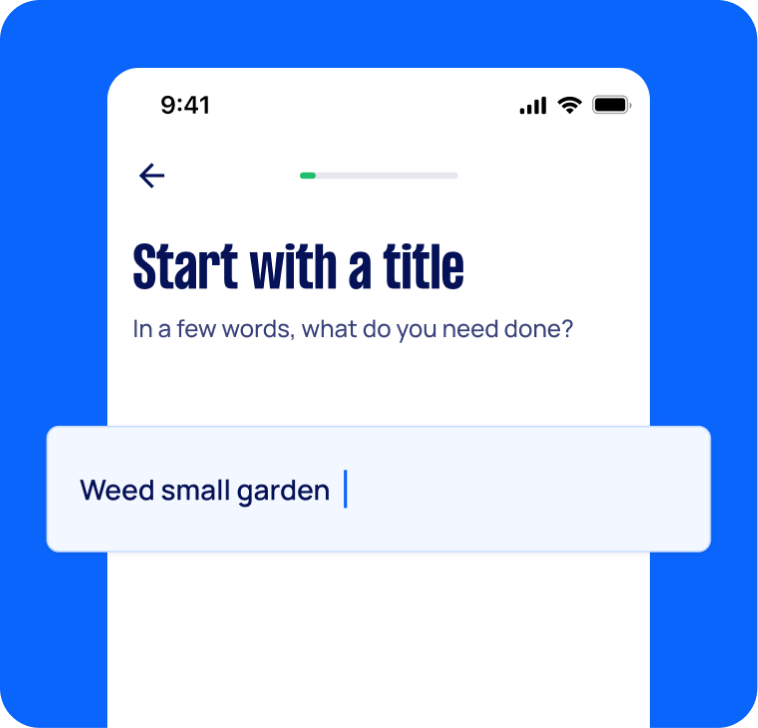
Post your task
Tell us what you need, it's FREE to post.
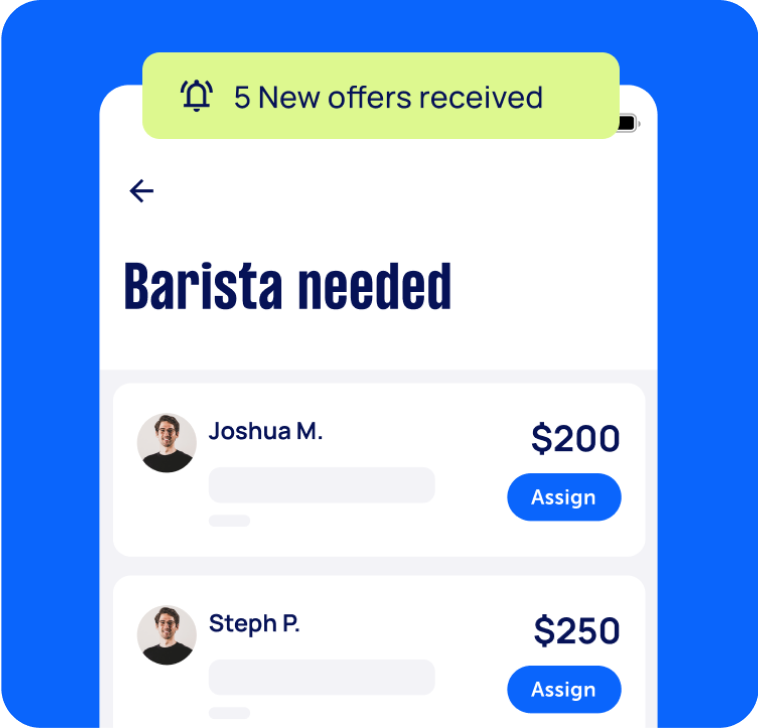
Review offers
Get offers from trusted Taskers and view profiles.
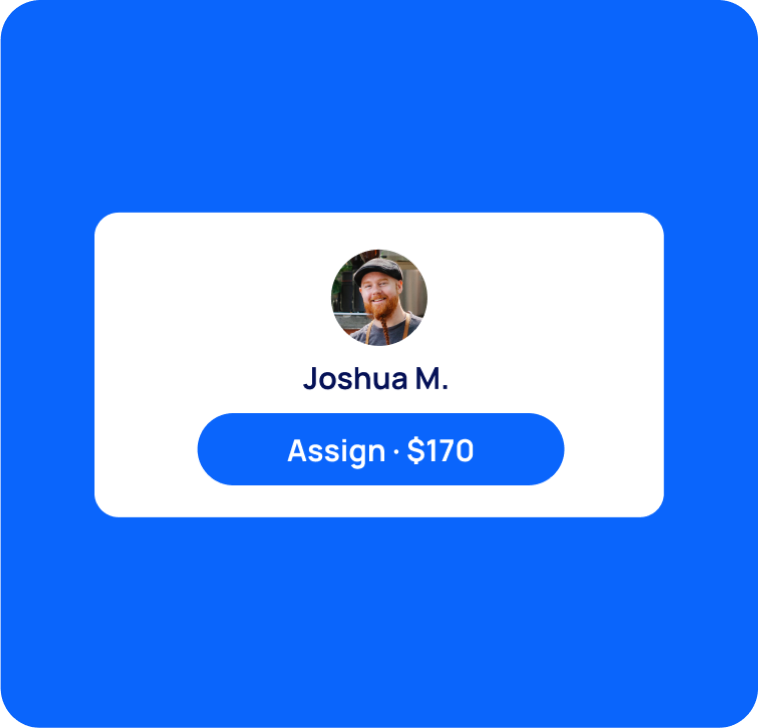
Get it done
Choose the right person for your task and get it done.
6+
Tasks successfully completed
2
Average amount of offers per task
19
mins
Average time to receive offers
Computers & IT Services
Keynote Help
Microsoft Access Help
Android App Development
Computer Hardware
Mobile App Development
iPod Repair
Macbook Repairs
Google Chrome Help
Microsoft Onedrive Help
File Conversion Help
Organise Computer Folders
App Development
Wifi Help
Microsoft Powerpoint Help
Operating System Installation
Screen Repair
Wifi Extender Setup
Macbook Air Repair
Virus Removal
Laptop Repair
iPhone Screen Replacement
Software Development
iOS Development
iMovie Help
Router Modem Setup
Scanner Setup
Windows Installation
Speed Up Computer
Microsoft Onenote Help
Computer Repairs
Microsoft Office Help
Microsoft Excel Help
iPhone Repair
IT Support
Malware Removal
Laptop Data Recovery
Skype Help
Computer Backup Help
Microsoft Outlook Help
Printer Help
Mac OS Help
Microsoft Help
Apple Help
Microsoft Word Help
iTunes Help
Email Setup
Microsoft Windows Help
Internet Help
Windows Help
Computer Training
Apple Mac Repairs
Troubleshooting
Data Recovery
Home Network Setup
Software Help
iPhone Help
Computer Upgrades
Bluetooth Help
Network Troubleshooting
Computer Support
Microsoft Publisher Help
Linux Help
Server Upgrading & Support
iCloud Setup
Mac Setup
Technical Support
VPN Setup
HTC One Repair
Related Services near me
Suggested reads about Firewall Setup


Recent Firewall Setup tasks
Hardware Firewall & Home Wi-Fi Network Hardening Setup
$250
Dandenong North VIC 3175, Australia
13th Oct 2026
Looking for an experienced network security specialist to recommend, configure, and thoroughly harden my home Wi-Fi and router setup. Key Scope of Work: Consultation & Hardware Recommendation: Review my setup and recommend the best security hardware/firewall solution for my needs (e.g., Ubiquiti Cloud Gateway Ultra or a fanless mini-PC like a Protectli Vault running OPNsense/pfSense). I will purchase the agreed hardware directly or reimburse you upon invoice/receipt. Installation & Hardening: On-site installation and configuration of the dedicated firewall router. Wi-Fi & Network Security: Secure access points (WPA3/WPA2), disable WPS/UPnP/remote WAN management, setup DNS filtering (e.g., NextDNS/Pi-hole), and configure network VLANs to isolate guest/IoT traffic. Testing & Walkthrough: Audit the network security and provide a quick overview of how to manage the system.
Installation of a firewalla gold SE.
$100
North Melbourne VIC, Australia
17th May 2026
Have a firewalla gold SE. Unable to install despite multiple efforts with Firewalla support. Experience with Firewalla installation or similar will be useful - knowledge of router and bridge modes will be useful. Also have home mesh wifi system which may help. Rates negotiable especially if task is deemed more challenging.


Very knowledgable and able to deliver as discussed. Would get his assistance again.
Firewall to be installed on VOip device
$100
Doveton VIC 3177, Australia
11th May 2026
Hello, I HAVE EDITED OFFER $$ AS WAS TOLD IT WAS TOO HIGH FOR INVESTIGATION ONLY. THIS EXCLUDES HARDWARE. We are currently experiencing ongoing “ghost calls” on our café VOIP phone service, as advised by Aussie Broadband. Aussie Broadband has informed us that we require a firewall installation/configuration so legitimate phone calls can come through correctly. At present, whenever the phone line is plugged into the back of the modem, the phone rings constantly with no one on the other end of the call. Unfortunately, we have already been let down by several IT companies and are simply looking for someone who can properly diagnose and resolve the issue. Could you please advise whether this is something you can assist with, including: Firewall setup/configuration for VOIP services Securing the phone system from ghost/SIP calls Ensuring the phone service operates correctly without constant phantom calls


A genuinely nice person who wants to do the right thing by his customers. Honest advice and help.
Renew firewall for company.
$150
Bella Vista NSW, Australia
29th Apr 2026
Open to renew with whatever software. Need to have an admin network and student network with sites blocked
Advice on Dell laptop purchase and firewall setup for a medical clinic
$250
Lilydale VIC, Australia
3rd Jan 2026
Please provide advice on selecting an appropriate Dell laptop, implementing a secure firewall solution and data back up for a medical clinic located near Lilydale, ensuring reliability, data security.
Setup office internet infrastructure, firewall, switch, router, WAPs
$800
Pyrmont, New South Wales
26th Nov 2025
We have IT offshore, so we need someone to do physical hardware work like cabling WAPs, place Switch, Router. We already subscribe Superloop service for internet line. Running cable on exposed roof
Move 3 Dell power edge 540 servers, firewall UDM Pro and QNAP setup
$1,111
Cromer NSW 2099, Australia
5th Sep 2025
Install 3 Dell power edge 540 servers, firewall UDM Pro and QNAP setup to the new office. As we are relocating, Keeping all the server and firewall settings same. Only need to shut down from old office and start and connect to new internet connection in new office
Firewall purple se connected to home WiFi for traffic monitoring
$150
Bennett Springs WA, Australia
28th May 2025
Got firewall purple se that I need connected to my home WiFi for traffic monitoring will run through asus RT-ax86u pro Geeks2u failed to make it work
IT Technician to replace firewall - Merimbula
$100
Merimbula NSW, Australia
23rd Apr 2025
Firewall Replacement and Meraki Installation in a Medical Centre 1. Locate the Network Room / Rack ○ Identify and access the main network room or equipment rack at the clinic. 2. Identify Devices to be Replaced ○ Locate the Fortinet Firewall and the 4G failover device – these will be removed and replaced. 3. Locate Ubiquiti Switches ○ Find all Ubiquiti (Unifi) switches and AP onsite. ○ Note down the MAC address of each Unifi switch and AP. 4. Pre-Installation Photos ○ Take clear photos of the following before making any changes: ■ Network rack/setup ■ Fortinet Firewall ■ 4G device ■ Unifi switches with visible MAC addresses 5. Contact Us Before Proceeding ○ Please call the number provided in your job email before starting the replacement. 6. Install the Cisco Meraki Firewall ○ Replace the Fortinet with the Cisco Meraki firewall. ○ WAN/Internet port on the Meraki should be connected as follows: ■ If FTTN, connect via the existing modem. ■ For all other NBN types (e.g., FTTP, HFC), connect directly to the NBN NTD using an Ethernet cable. 7. MAC Address for IP Reservations ○ Once you provide the MAC address of the Unifi switch, we’ll configure the IP reservations remotely from our end. 8. Post-Installation Confirmation ○ Once the new setup is confirmed to be working, take clear post-installation photos of the final setup. 9. Label and Return Decommissioned Equipment ○ Label the Fortinet and any other removed devices with the clinic name. ○ Pack and ship the devices to the address provided in your job email. 10. Troubleshooting Support ● If the service doesn’t come up or there are any issues, please stay onsite and call us for troubleshooting support. We’ll assist you step by step
IT Technician to replace firewall - Wodonga
$100
Wodonga VIC 3690, Australia
22nd Apr 2025
Firewall Replacement and Meraki Installation in a Medical Centre 1. Locate the Network Room / Rack ○ Identify and access the main network room or equipment rack at the clinic. 2. Identify Devices to be Replaced ○ Locate the Fortinet Firewall and the 4G failover device – these will be removed and replaced. 3. Locate Ubiquiti Switches ○ Find all Ubiquiti (Unifi) switches and AP onsite. ○ Note down the MAC address of each Unifi switch and AP. 4. Pre-Installation Photos ○ Take clear photos of the following before making any changes: ■ Network rack/setup ■ Fortinet Firewall ■ 4G device ■ Unifi switches with visible MAC addresses 5. Contact Us Before Proceeding ○ Please call the number provided in your job email before starting the replacement. 6. Install the Cisco Meraki Firewall ○ Replace the Fortinet with the Cisco Meraki firewall. ○ WAN/Internet port on the Meraki should be connected as follows: ■ If FTTN, connect via the existing modem. ■ For all other NBN types (e.g., FTTP, HFC), connect directly to the NBN NTD using an Ethernet cable. 7. MAC Address for IP Reservations ○ Once you provide the MAC address of the Unifi switch, we’ll configure the IP reservations remotely from our end. 8. Post-Installation Confirmation ○ Once the new setup is confirmed to be working, take clear post-installation photos of the final setup. 9. Label and Return Decommissioned Equipment ○ Label the Fortinet and any other removed devices with the clinic name. ○ Pack and ship the devices to the address provided in your job email. 10. Troubleshooting Support ● If the service doesn’t come up or there are any issues, please stay onsite and call us for troubleshooting support. We’ll assist you step by step
IT Technician to replace firewall - Seymour
$100
Seymour VIC, Australia
22nd Apr 2025
Firewall Replacement and Meraki Installation in a Medical Centre 1. Locate the Network Room / Rack ○ Identify and access the main network room or equipment rack at the clinic. 2. Identify Devices to be Replaced ○ Locate the Fortinet Firewall and the 4G failover device – these will be removed and replaced. 3. Locate Ubiquiti Switches ○ Find all Ubiquiti (Unifi) switches and AP onsite. ○ Note down the MAC address of each Unifi switch and AP. 4. Pre-Installation Photos ○ Take clear photos of the following before making any changes: ■ Network rack/setup ■ Fortinet Firewall ■ 4G device ■ Unifi switches with visible MAC addresses 5. Contact Us Before Proceeding ○ Please call the number provided in your job email before starting the replacement. 6. Install the Cisco Meraki Firewall ○ Replace the Fortinet with the Cisco Meraki firewall. ○ WAN/Internet port on the Meraki should be connected as follows: ■ If FTTN, connect via the existing modem. ■ For all other NBN types (e.g., FTTP, HFC), connect directly to the NBN NTD using an Ethernet cable. 7. MAC Address for IP Reservations ○ Once you provide the MAC address of the Unifi switch, we’ll configure the IP reservations remotely from our end. 8. Post-Installation Confirmation ○ Once the new setup is confirmed to be working, take clear post-installation photos of the final setup. 9. Label and Return Decommissioned Equipment ○ Label the Fortinet and any other removed devices with the clinic name. ○ Pack and ship the devices to the address provided in your job email. 10. Troubleshooting Support ● If the service doesn’t come up or there are any issues, please stay onsite and call us for troubleshooting support. We’ll assist you step by step
IT Technician to replace firewall
$100
Echuca VIC 3564, Australia
22nd Apr 2025
Firewall Replacement and Meraki Installation in a Medical Centre 1. Locate the Network Room / Rack ○ Identify and access the main network room or equipment rack at the clinic. 2. Identify Devices to be Replaced ○ Locate the Fortinet Firewall and the 4G failover device – these will be removed and replaced. 3. Locate Ubiquiti Switches ○ Find all Ubiquiti (Unifi) switches and AP onsite. ○ Note down the MAC address of each Unifi switch and AP. 4. Pre-Installation Photos ○ Take clear photos of the following before making any changes: ■ Network rack/setup ■ Fortinet Firewall ■ 4G device ■ Unifi switches with visible MAC addresses 5. Contact Us Before Proceeding ○ Please call the number provided in your job email before starting the replacement. 6. Install the Cisco Meraki Firewall ○ Replace the Fortinet with the Cisco Meraki firewall. ○ WAN/Internet port on the Meraki should be connected as follows: ■ If FTTN, connect via the existing modem. ■ For all other NBN types (e.g., FTTP, HFC), connect directly to the NBN NTD using an Ethernet cable. 7. MAC Address for IP Reservations ○ Once you provide the MAC address of the Unifi switch, we’ll configure the IP reservations remotely from our end. 8. Post-Installation Confirmation ○ Once the new setup is confirmed to be working, take clear post-installation photos of the final setup. 9. Label and Return Decommissioned Equipment ○ Label the Fortinet and any other removed devices with the clinic name. ○ Pack and ship the devices to the address provided in your job email. 10. Troubleshooting Support ● If the service doesn’t come up or there are any issues, please stay onsite and call us for troubleshooting support. We’ll assist you step by step
IT Technician needed - Replacing Firewall
$100
Eaglehawk VIC, Australia
22nd Apr 2025
Firewall Replacement and Meraki Installation in a Medical Centre 1. Locate the Network Room / Rack ○ Identify and access the main network room or equipment rack at the clinic. 2. Identify Devices to be Replaced ○ Locate the Fortinet Firewall and the 4G failover device – these will be removed and replaced. 3. Locate Ubiquiti Switches ○ Find all Ubiquiti (Unifi) switches and AP onsite. ○ Note down the MAC address of each Unifi switch and AP. 4. Pre-Installation Photos ○ Take clear photos of the following before making any changes: ■ Network rack/setup ■ Fortinet Firewall ■ 4G device ■ Unifi switches with visible MAC addresses 5. Contact Us Before Proceeding ○ Please call the number provided in your job email before starting the replacement. 6. Install the Cisco Meraki Firewall ○ Replace the Fortinet with the Cisco Meraki firewall. ○ WAN/Internet port on the Meraki should be connected as follows: ■ If FTTN, connect via the existing modem. ■ For all other NBN types (e.g., FTTP, HFC), connect directly to the NBN NTD using an Ethernet cable. 7. MAC Address for IP Reservations ○ Once you provide the MAC address of the Unifi switch, we’ll configure the IP reservations remotely from our end. 8. Post-Installation Confirmation ○ Once the new setup is confirmed to be working, take clear post-installation photos of the final setup. 9. Label and Return Decommissioned Equipment ○ Label the Fortinet and any other removed devices with the clinic name. ○ Pack and ship the devices to the address provided in your job email. 10. Troubleshooting Support ● If the service doesn’t come up or there are any issues, please stay onsite and call us for troubleshooting support. We’ll assist you step by step.
IT Technician Needed - Replacement of Firewall
$100
Gordon NSW 2072, Australia
21st Apr 2025
Firewall Replacement and Meraki Installation in a Medical Centre 1. Locate the Network Room / Rack ○ Identify and access the main network room or equipment rack at the clinic. 2. Identify Devices to be Replaced ○ Locate the Fortinet Firewall and the 4G failover device – these will be removed and replaced. 3. Locate Ubiquiti Switches ○ Find all Ubiquiti (Unifi) switches and AP onsite. ○ Note down the MAC address of each Unifi switch and AP. 4. Pre-Installation Photos ○ Take clear photos of the following before making any changes: ■ Network rack/setup ■ Fortinet Firewall ■ 4G device ■ Unifi switches with visible MAC addresses 5. Contact Us Before Proceeding ○ Please call the number provided in your job email before starting the replacement. 6. Install the Cisco Meraki Firewall ○ Replace the Fortinet with the Cisco Meraki firewall. ○ WAN/Internet port on the Meraki should be connected as follows: ■ If FTTN, connect via the existing modem. ■ For all other NBN types (e.g., FTTP, HFC), connect directly to the NBN NTD using an Ethernet cable. 7. MAC Address for IP Reservations ○ Once you provide the MAC address of the Unifi switch, we’ll configure the IP reservations remotely from our end. 8. Post-Installation Confirmation ○ Once the new setup is confirmed to be working, take clear post-installation photos of the final setup. 9. Label and Return Decommissioned Equipment ○ Label the Fortinet and any other removed devices with the clinic name. ○ Pack and ship the devices to the address provided in your job email. 10. Troubleshooting Support ● If the service doesn’t come up or there are any issues, please stay onsite and call us for troubleshooting support. We’ll assist you step by step.

Well experienced and easy to work with. Highly recommend Tareq
Router install with Firewall
$220
Mona Vale NSW 2103, Australia
30th Jan 2025
Everything was running fine until I got my Mac back and looked In In confident if this new device is behind a firewall me a good to go! All software needed is here and it almost set up. Would really appreciate it you could come today. 🙏🏻😊
Help to set up home network and firewall computers and WiFi devices
$150
Bexley North NSW, Australia
19th Jan 2025
Need tech-support to help secure home network and attached WiFi devices securely
Unifi router firewall settings and home assistant setup (inc. MQTT)
$400
Goodwood SA, Australia
16th Jul 2024
Have a unifi UDM Pro SE Want some help checking my firewall settings (make sure network is nice and secure) Want help setting up MQTT from Blue Iris (security camera software) to Home Assistant, which is on a different VLAN, Need a real network/IT expert, is this something you can do ?
Networking an firewall on router setup
$200
Blair Athol NSW, Australia
13th Mar 2024
Router port forwarding an firewall configuration an DNS configuration
Hp Laptop set up firewalls, apps installing spilt screen etc
$50
Sinagra WA, Australia
6th Jan 2024
Got new HP laptop looking for someone to set it up for me - Due date: Needs to be done on Saturday, 6 January 2024
Instalation of firewalla router
$100
Mosman Park WA, Australia
17th Dec 2023
have bought firewalla gold which is a router which will be a security firewall and also helps me to contol the device time of kids. please note firewalla is a name of the company and not firewall I have NBN and TPG as a provider and I want the firewalla gold device as router . Please note the instructions of firewalla provided below https://help.firewalla.com/hc/en-us/articles/360046669734-Firewalla-Gold-Series-Installation-Guide#h_01EC6BEVPVERGPZTHNP9NCT45Y please see section 3.1 in the above link and thats what I want to have installed , So the firewalla becomes the connection to external. - Due date: Flexible