Find a professional computer upgrade service near you
Fill in a short form and get free quotes from computer technicians near you
Great rating - 4.2/5 (11114+ reviews)
When you want to upgrade anything on your computer
- SSD upgrade
- PC upgrades
- Laptop upgrade service
- Computer upgrades near you
- Laptop memory upgrade
- … or anything else
Best rated computer upgrades technician near me

Latest Review
"Job completed, excellent work "
Verified Badges

ID Verified

Payment Method Verified

Mobile Verified

LinkedIn Verified

Latest Review
"Very thorough and did an awesome job building our custom pc! Highly recommend!"
Verified Badges
ID Verified
Payment Method Verified
Mobile Verified

Latest Review
"Fantastic as always! A++++"
Verified Badges

Police Check
ID Verified

NSW Working with Children Check

Coles Badge
Payment Method Verified

Latest Review
"Simon is very punctual and very detail oriented. "
Verified Badges
ID Verified
Payment Method Verified
Mobile Verified

Latest Review
"Satnam completed my task with efficiency and competency."
Verified Badges
ID Verified
Mobile Verified

Latest Review
"Good communication and service "
Verified Badges
ID Verified
Mobile Verified

Latest Review
"Really detailed & helpful Went thru the computer music software & explained everything thoroughly so I understood - tha..."
Verified Badges
ID Verified
Mobile Verified

Latest Review
"Perfect service. Detailed orientat"
Verified Badges
ID Verified
Mobile Verified
Recent Computer Upgrades reviews

Very committed and determined to complete job would recommend him for any IT problem
UPGRADE COMPUTER TO LATEST VERSION
$100
Philip helped me with upgrading my old PC. Philip was helpful and knowledgeable about what he was doing. I will highly recommend Philip to anyone in future.
PC upgrade
$150
Phil was extremely efficient and helpful. He went out of his way to do everything he could to go over the top and perfect his job. Thank you.
Upgrade my laptop
$150
Very friendly. Highly recommend
Upgrade pc
$35
Tom solved our problem to our complete satisfaction.
Home network upgrade
$200

Great kind service, quick a reliable, great!
Macbook pro 2017 13 inch hard rive and ram upgrade
$500
What's the average cost of a computer upgrade technician
$100 - $200
low
$100
median
$140
high
$200

Average reviews for Computer Upgrades Services
based on 89 reviews
4.97
What is Airtasker?

Post your task
Tell us what you need, it's FREE to post.

Review offers
Get offers from trusted Taskers and view profiles.

Get it done
Choose the right person for your task and get it done.
121+
Tasks successfully completed
2
Average amount of offers per task
13
mins
Average time to receive offers
Why book a computer upgrades service through Airtasker?
If you need help upgrading your PC, book a computer upgrade service near you through Airtasker. Replacing your entire computer and setup can be expensive and impractical. The great thing about newer rigs and even old PCs is that you can always upgrade your computer when you start to notice some lag.
Finding a Tasker through our platform is easy. Just log into Airtasker, post a task with your PC upgrade requirements, then wait for offers from nearby Taskers. If you need a computer tune-up or a computer upgrade near you, your Taskers have got you covered.
Whether you're a seasoned PC gamer upgrading for the nth time, or if you're not an expert on computers, we'll find you a PC upgrade service that fits your needs. Put up a task today for a nearby computer upgrade!
Local, skilled pros
Real reviews
Flexible pricing
Offers in no time
Top Computer Upgrades related questions
There are no specific licenses or certifications needed. However, most experts have some background in computer science or IT. Feel free to discuss any technical details about your PC upgrade with your Tasker.
You do not need to provide your Tasker with tools to upgrade your PC. Your Tasker will most likely just need a flat-head and cross-head screwdrivers and some cable ties. They may also need access to your Wi-Fi to download any software updates after upgrading your PC.
This may vary between one Tasker and another. Some Taskers can get you the parts you need to upgrade your PC for an additional fee, while others will only install the upgrades. Be sure to discuss this in detail with your Tasker.
Computers & IT Services
Computer Repairs
Keynote Help
Microsoft Access Help
Android App Development
Computer Hardware
Mobile App Development
iPod Repair
Macbook Air Repair
Laptop Repair
Macbook Repairs
Google Chrome Help
Microsoft Onedrive Help
Printer Help
Firewall Setup
Microsoft Help
Microsoft Windows Help
File Conversion Help
Apple Mac Repairs
Organise Computer Folders
App Development
Wifi Help
Microsoft Powerpoint Help
Operating System Installation
Screen Repair
Virus Removal
iPhone Screen Replacement
Software Development
iOS Development
Wifi Extender Setup
iMovie Help
Router Modem Setup
Scanner Setup
Speed Up Computer
Microsoft Onenote Help
Microsoft Office Help
Microsoft Excel Help
iPhone Repair
Windows Installation
IT Support
Malware Removal
Laptop Data Recovery
Skype Help
Computer Backup Help
Microsoft Outlook Help
Mac OS Help
Apple Help
Microsoft Word Help
iTunes Help
Email Setup
Internet Help
Windows Help
Computer Training
Troubleshooting
Data Recovery
Home Network Setup
Software Help
iPhone Help
Bluetooth Help
Network Troubleshooting
Computer Support
Microsoft Publisher Help
Linux Help
Server Upgrading & Support
iCloud Setup
Mac Setup
Technical Support
VPN Setup
HTC One Repair
Related Services near me
Related Locations
NSW
North West Perth
Melbourne Western Suburbs
Geelong
Inner South Melbourne
Adelaide
VIC
North Brisbane
Sydney
South West Sydney
Inner West Sydney
Sydney Eastern Suburbs
WA
Blacktown
Brisbane Southside
North West Melbourne
Melbourne
North East Melbourne
Baulkham Hills & Hawkesbury
Brisbane
Gold Coast
Outer East Melbourne
Mornington Peninsula
Ipswich
Inner South West Sydney
Parramatta
South East Melbourne
Logan Beaudesert
Perth
Melbourne Eastern Suburbs
Sydney Northern Beaches
SA
QLD
Suggested reads about Computer Upgrades


What do computer upgrades services include?
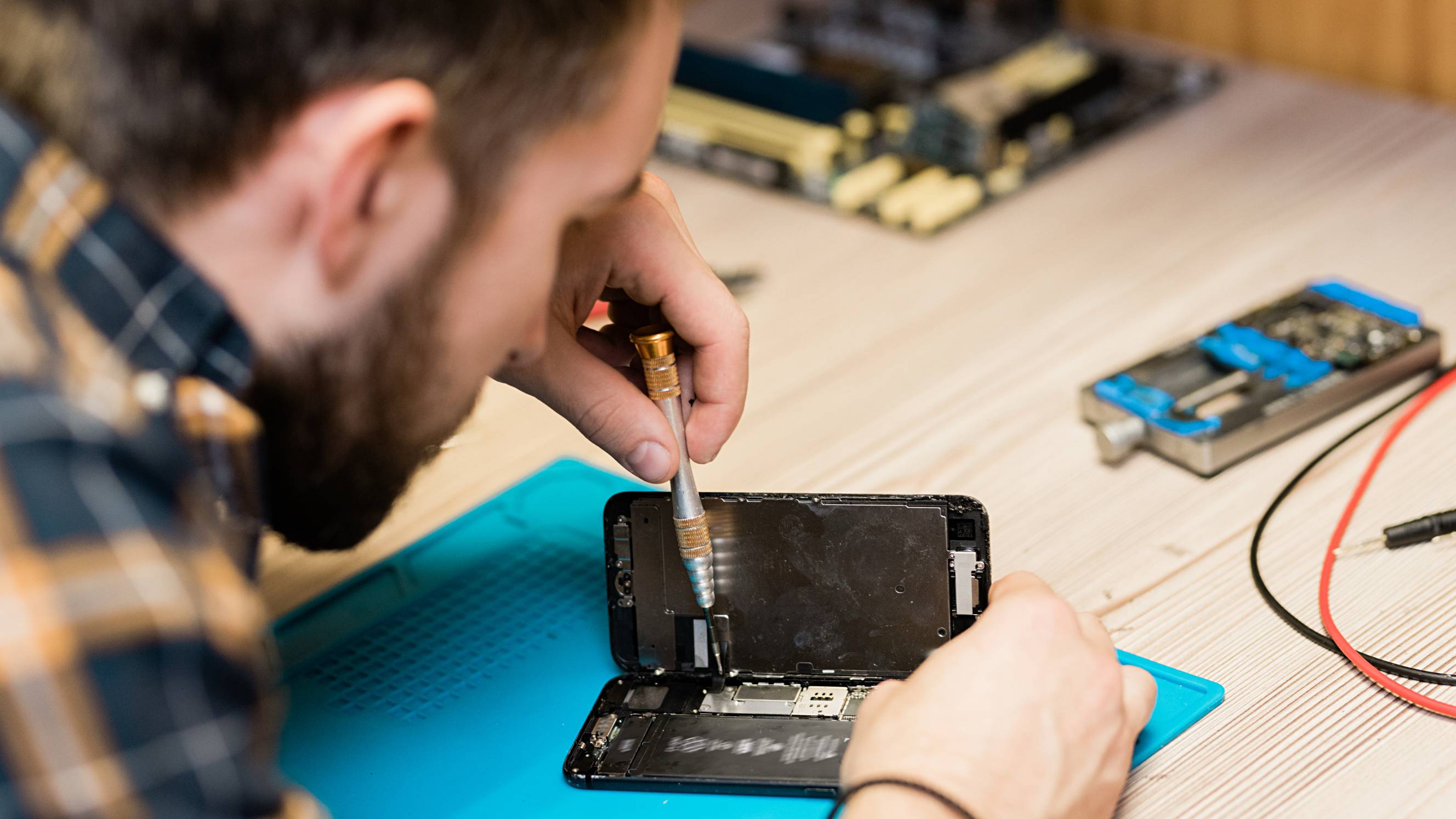
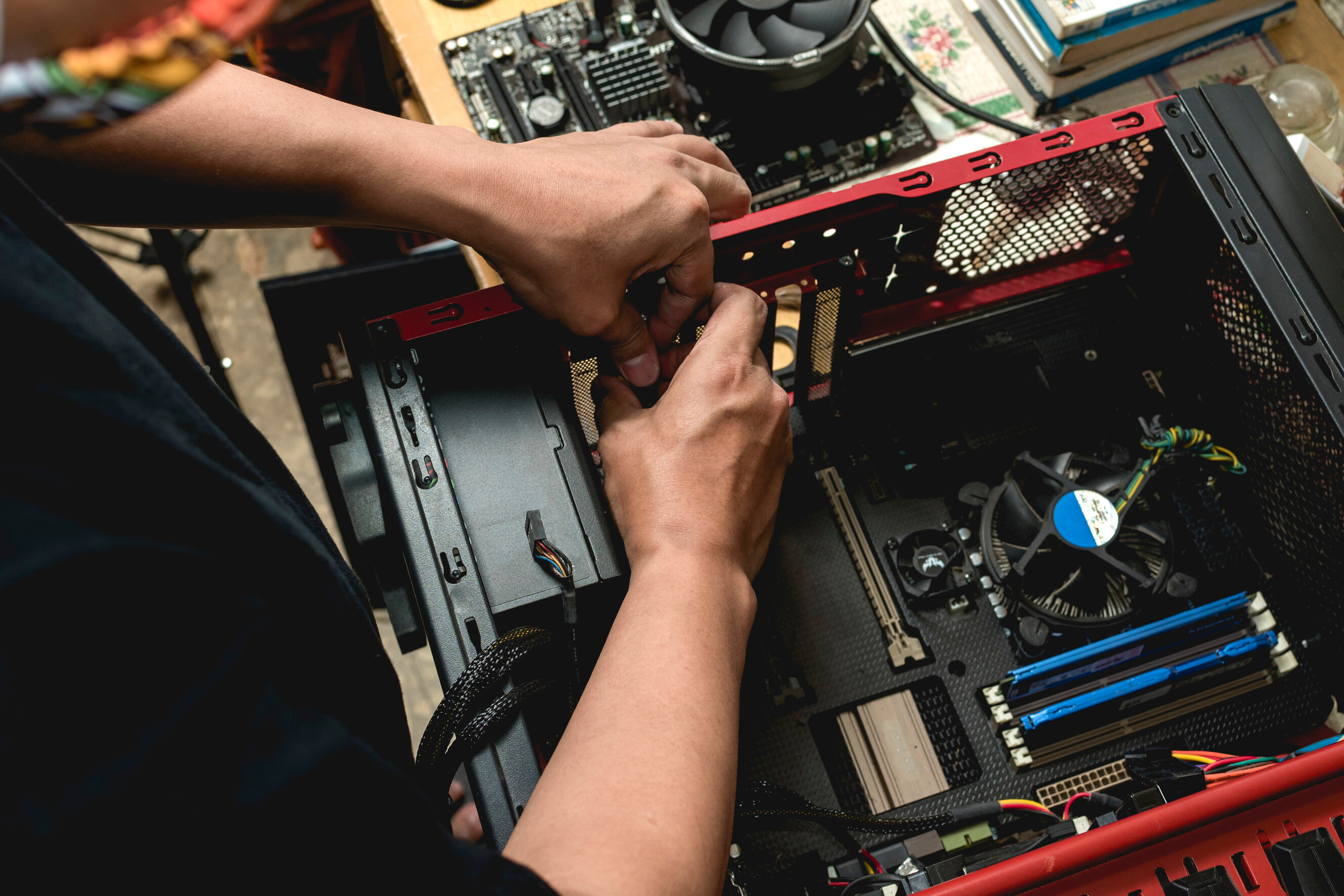
Upgrading your computer can mean many things. To some, an upgrade can be replacing your existing computer and assembling a new PC altogether. Sometimes, it's upgrading your overall PC or gaming set up by installing a sound system, RGB lights, or a standing desk. While to most, this means replacing outdated hardware in your computer to increase overall performance.
Specific computer upgrades and PC services may vary among Taskers, but your computer upgrade services generally include the following:
Computer memory upgrade
Upgrading your computer memory or RAM (short for Random Access Memory) is by far the easiest, most cost-effective solution to bring your slowing PC up to speed. Your Tasker can do this with most computers by taking the old memory and replacing it with a brand new one with more RAM.
Upgrading your PC with more RAM will give you an instant boost in performance, especially when you use resource-intensive tasks. You might need extra if you're a competitive gamer, software developer, or database developer.
Storage drive upgrades
You'll need a new hard drive for only two reasons. The first is running out of space, and the second is if you need faster performance. You can have your Tasker add a storage drive or replace your existing drive with one that has larger storage space.
If you've uploaded and backed up all your data in a cloud and deleted unnecessary files but lack the space, then you'll need more storage. But if you need faster performance, upgrading your hard drive to one with a higher RPM or a solid-state drive can increase your computer's write speed and overall performance.
To put it into perspective, a mechanical hard drive with a 5400RPM drive has a write speed of up to 100 megabytes per second. While a 7200PRM drive has a write speed of up to 150 megabytes per second.
On the other hand, a regular solid-state drive has a write speed of 300 to 500 megabytes per second. There are also high-end solid-state drives with write speeds of up to 3000 to 5000 megabytes per second or even more.
Graphics card upgrades
If you're not a gamer, 3D animator, video editor, or graphic designer, you can skip this. All computers nowadays come with integrated graphics that can handle productivity tasks, office work, or streaming videos here and there.
But if you're any of the above, be prepared to shell out some serious cash for a GPU (or Graphics Processing Unit). It may be expensive, but upgrading your graphics card every few years will improve the performance and visuals for games, 3D animation, and video editing software.
Most people get by with mid-range GPUs. But the prices of high tier graphics cards can vary exponentially from one model to another and could cost more than the rest of your computer. Your Tasker can help you find and install the best graphics card that's compatible with your current PC specifications.
Processor and motherboard upgrades
Upgrading your processor or motherboard isn't as simple as the upgrades mentioned above. These are expensive and harder to install, not to mention you'll need to check for hardware compatibility issues as well.
The new processor that you want might not fit on your motherboard, which means you would need to buy a new one. If your old components such as RAM or power supply aren't compatible, then you'd need to upgrade those, too. It's only worth upgrading your processor if it gives you significantly higher speeds, more cores, or upgrading from an older processor generation to a new one.
If you're unsure, your Taskers can help you assess if these upgrades are necessary since the prices of motherboards and processors can cost you more than half of a new PC. If you're replacing a damaged board, you may want to try getting a circuit board repair service first since it's a way cheaper option compared to buying a new board and replacing components.
Recent Computer Upgrades tasks
Upgrade ram on my laptop
$100
Liverpool NSW, Australia
19th Oct 2026
I have a Lenovo loq laptop but I need to upgrade ram
Computer upgrade to Windows 11 and install Google Chrome browser
$100
Ashfield NSW 2131, Australia
11th Oct 2026
Computer upgrade to Windows 11 and install Google chrome browser
Upgrade PC
$100
Annerley QLD 4103, Australia
4th Oct 2026
Hoping to upgrade my PC as it is a bit outdated now. Using it for Gaming mostly Specifications: Device Name DESKTOP-LNSKJ9C Processor Intel(R) Core(TM) i5-10600KF CPU @ 4.10GHz 4.10 GHz Installed RAM 16.0 GB (15.9 GB usable) Storage 1.82 TB SSD CT2000BX500SSD1 Graphics Card NVIDIA GeForce RTX 2060 (6 GB) Device ID A0846261-42E1-4B26-BDDA-84D9D741E85B Product ID 00326-10000-00000-AA910 System Type 64-bit operating system, x64-based processor Pen and touch No pen or touch input is available for this display
Laptop format, OS upgrade, Antivirus installation
$10
The Ponds NSW 2769, Australia
4th Oct 2026
Laptop format, OS upgrade, Antivirus installation
Windows 11 Reinstall/Upgrade, PC Optimisation & Data Preservation
$65
Moorooka QLD 4105, Australia
3rd Oct 2026
Install Latest Windows 11 on Existing PC and Transfer/Preserve Data. Wants old PC to be up and running
Firmware upgrade
$100
Albany WA 6330, Australia
30th Sep 2026
Need a firmware update done on a Bose device instore wanting someone local so I don't have to drive from the city will need to be done instore and a quick safety induction to be allowed on the property they can be tricky to do the first time but should not take longer then 20mins will require 2 devices 2 phones or a phone and iPad to do the firmware update and be able to take photos of the update and display stand and send back for verification easy money it's only one unit I believe at this stage must be clean and respectful act professional I can help on my end over the phone if you get stuck so someone with some sort of computer knowledge pairing devices ect would be preferred
Upgrade my IMac
$300
Cheltenham VIC 3192, Australia
22nd Sep 2026
have a 2019 21.5-inch 4K iMac. I would like someone experienced with iMacs to upgrade the RAM from 8 GB to 16 GB and replace the existing 1 TB hard drive with a 1 TB SSD. Please quote the total cost including parts and labour.
Upgrade processor ram motherboard etc
$150
Croydon NSW 2132, Australia
19th Sep 2026
I need a technician to upgrade pc. Processing power for audio production
PC Upgrade
$200
Vermont VIC 3133, Australia
17th Sep 2026
Looking to upgrade my PC from 3080ti to 5080, also wants cable management, cleaning and replace thermal paste etc. looking to do this mid October.


Job completed nicely
Upgrade custom PC
$200
Cheltenham VIC, Australia
15th Sep 2026
I need help putting my new liquid cooler and cpu in my custom built pc

Excellent service and communication
Help upgrade my PC/PC Build
$100
South Geelong VIC 3220, Australia
15th Sep 2026
Trying to figure out why my games keep crashing, believe it may be GPU related. Happy to buy parts, just needing help, absolutely do not have the patience to learn it :) Can send specs and pics to help diagnose!
IT/network tech – UniFi Wi-Fi repair & install + cabling upgrade quote
$230
Carlton NSW 2218, Australia
10th Sep 2026
We’re a small business looking for a a reliable local IT/network technician for an initial job, a larger network upgrade, and potentially ongoing IT support as required. 1) INITIAL JOB - UNIFI ACCESS POINT - Check our existing UniFi Access Point, does not seem have power despite power cycling Switch. Figure out what is happening and make it work. - I'm trying to install a 2nd Unifi Access Point (via a second switch, see photo). However, when I plug it in it causes PoE power on our Switch to cut out. Figure what is happening and make the 2nd Access Point work. - Background: CISCO Switch, Ubiquiti Access Point - Additional hardware or cabling: Separately approved, since the fault could require replacement equipment. 2) Separate quote for other jobs if want - not mandatory, but preferred A) While onsite, assess and separately quote - Upgrading our wired office network from 1 GbE to 2.5 GbE for faster internal LAN and NAS file transfers. - Upgrading the network switch and tidying/reorganising the network cabinet and patch panel as needed. B) Set up NAS properly for backup for our other computers - we already have a NAS


Good communication and service
Computer upgrade
$400
Otago TAS 7017, Australia
7th Sep 2026
Slow computer i 5 system, needs a new hard drive maybe
Setup Lenovo NB, iPhone email setup with Outlook, upgrade PC to Win 11
$150
Minchinbury NSW 2770, Australia
7th Sep 2026
Please refer to the tasks as previously stated.

Jaylen is extremely efficient, knowledgeable and friendly. He gets the job done professionally.
Internal SSD drive upgraded on MacBook
$100
Perth WA 6062, Australia
3rd Sep 2026
I’ve converted my MacBook to have windows through boot camp and my laptop now doesn’t have to room to run my work programs for work. I need windows software to run these programs. Wondering if something like this is possible
PC Upgrade
$10
Plumpton VIC 3335, Australia
30th Aug 2026
Need this parts installed and pc cleaned AMD Ryzen CPU + MSI B850 MB + DDR5 RAM 2603
Upgrade SSD in Mac Mini Pro
$125
Westleigh NSW 2120, Australia
28th Aug 2026
I have a 4TB Mac Mini Pro campatible SSD I need installed in my Mac Mini Pro.
Laptop RAM Upgrade (Part Provided) - HP 14s
$30
Warriewood NSW, Australia
9th Jul 2026
Hi, I need a tech-savvy tasker or computer technician to help me upgrade the RAM in my HP Laptop 14s-dq3xxx. I have already purchased the exact matching part (Crucial 8GB DDR4 3200MHz SODIMM). I just need someone with the right tools and experience to physically open the case, safely swap out the old 4GB stick for the new 8GB stick, and put it back together. I tried doing it myself but the back corners near the screen hinges are very stubborn and I didn't want to force or break the plastic clips. The laptop is currently fully assembled with all screws back in place. I am located in Warriewood and have the part ready to go. Should be a quick 10-minute job for someone who knows their way around HP casings!


Fantastic prompt service and communication. Tech was on time, knowledgeable and incredibly helpful. Laptop upgraded!
Replace motherboard, upgrade BIOS, and perform cable management.
$10
Lightsview SA, Australia
16th May 2026
Replace motherboard, upgrade BIOS, and perform cable management. Reapply coolant/thermal paste when swapping CPU (bring a coolant). Check and confirm PC is fully working after installation, including boot, temperatures, and all components functioning correctly.


Fantastic, got a couple hurdles but Joshua makes sure everything works perfectly