Find a professional home network setup service near you
Fill in a short form and get free quotes for home network setup services near you
Great rating - 4.2/5 (11114+ reviews)
Need a home network service?
- Home network installation
- Home wireless network setup
- Wired home network setup
- Home network VPN
- … or anything else
Best rated home network setup technicians near me

Latest Review
"Fantastic service. Quick and fast solution. "
Verified Badges

ID Verified

Mobile Verified

Latest Review
"Richard made a challenging job easy! He definitely knows his stuff when it comes to unifi networks! Highly recommend! "
Verified Badges
ID Verified
Mobile Verified


Latest Review
"Carlos was very helpful and patient - happy to recommend him for IT technical support."
Verified Badges
ID Verified
Mobile Verified

Latest Review
"A pleasure to deal with. Efficient friendly and knowledgeable. Big recommendation "
Verified Badges
ID Verified
Mobile Verified

Latest Review
"Great service, connected scanner and fixed issue. Gave advice on ongoing issues. Highly recommend and will hire him agai..."
Verified Badges
ID Verified
Mobile Verified

Latest Review
"Robert was very punctual and efficient in dealing with our NBN service and home phone. He resolved all the issues and I’..."
Verified Badges
ID Verified
Mobile Verified

Latest Review
"Tanmay turned up right on time was extremely knowledgeable and helpful with how to use the devices. Very pleased with th..."
Verified Badges
ID Verified
Mobile Verified
Recent Home Network Setup reviews

Job well done
Home Networking
$100

all good im very impressed
Fix internet home network
$100

David is thoughtful, knowledgeable, skilful and courteous. You can't ask for more than that
Home network internet issues
$150
Mario reviewed our existing and complicated home network set up and provided some excellent recommendations. Very knowledgeable guy, highly recommend.
Review my home network and make changes
$150

Very knowledegable and very thorough. A pleasure to deal with.
Home network
$500
Prompt Professional. Byron was very helpful at solving my network and CCTV issues.
Home network and CCTV
$100
What's the average cost of a home network setup technician
$125 - $251
low
$125
median
$175
high
$251

Average reviews for Home Network Setup Services
based on 70 reviews
5
What is Airtasker?

Post your task
Tell us what you need, it's FREE to post.
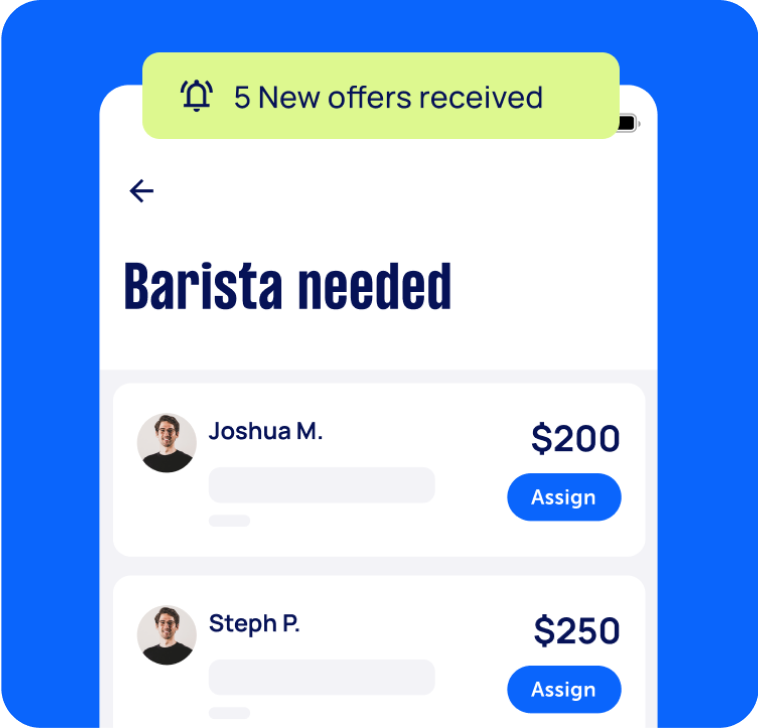
Review offers
Get offers from trusted Taskers and view profiles.
Get it done
Choose the right person for your task and get it done.
77+
Tasks successfully completed
3
Average amount of offers per task
4
mins
Average time to receive offers
Why book a home network setup service through Airtasker?
Setting up a home network for your house or office doesn’t need to be complicated, time-consuming, and frustrating. And no, you don’t need to spend a fortune on IT experts, either. Airtasker lets you easily find affordable and trusted home network installation services near you.
Simply post a task detailing your home network setup needs and budget. You get to specify what you need—whether it’s a wired home network, help with creating user accounts, or an end-to-end installation process. You’ll soon get free quotes from home network services near you. Quickly compare offers and choose the best person for the task.
Airtasker connects you with rated and reviewed home network installers, so you can find reliable specialists in a matter of minutes. This way, you can skip the trouble of asking friends for recommendations or browsing through hundreds of online listings. Select the pink ‘Post a task’ button now to get in touch with home network installation services near you.
Local, skilled pros
Real reviews
Flexible pricing
Offers in no time
Top Home Network Setup related questions
There are three ways to set up remote access to a home network. You can use NAS or Network Attached Storage, use a Remote Desktop tool, or look into third-party software. Feel free to ask your home network setup specialist about the best remote access option for your needs.
If you want a VPN for your home network, you can buy a router with a pre-built VPN solution. You can also try looking for a router that supports third-party router firmware. This lets you “customize” your router’s operating system, including using it with VPN software. Or, you can ask a Tasker about integrating a VPN into your home network.
The main difference between wired and wireless home networks is that wired networks use cables and take more time to set up since you’ll need to run multiple wires. Meanwhile, wireless networks use a wireless router and access point. Wired networks run faster than wireless home networks. But the former may not work with smaller devices, such as smartphones and tablets.
To set up a wireless home network, you’ll need a wireless router, wireless access point, Ethernet hub or switch, connectors, and broadband filters. You’ll need to set up your router and router interface first. Then, make sure that you get a good WiFi signal in every corner of your home. Only then can you connect devices to the internet. A home networking service can make sure to do these steps correctly and swiftly.
A basic home network will need a telephone socket, a telephone connection to your internet service provider, broadband filter, router (or wireless router and access point), and DSL modem. You’ll also need cables, switches, sockets, cable couplers, and cable splitters. Suppose your workspace isn’t ideal for the electrical requirements of a home network (especially if your house or building is old). In this case, you might consider rewiring your current electrical system.
Some home network Taskers may also know how to repair appliances. But expertise may vary from Tasker to Tasker. To address each of your computer concerns thoroughly, you can post separate tasks for home network setup and appliance repair.
Computers & IT Services
Keynote Help
Microsoft Access Help
iPod Repair
Macbook Repairs
Google Chrome Help
Microsoft Onedrive Help
File Conversion Help
Organise Computer Folders
App Development
Virus Removal
Wifi Help
Microsoft Powerpoint Help
Operating System Installation
Microsoft Windows Help
iPhone Screen Replacement
Software Development
iOS Development
iMovie Help
Router Modem Setup
Computer Repairs
Scanner Setup
Laptop Repair
Windows Installation
Android App Development
Speed Up Computer
Microsoft Onenote Help
Apple Mac Repairs
Printer Help
Computer Hardware
Mobile App Development
Microsoft Office Help
Microsoft Excel Help
Screen Repair
Microsoft Help
iPhone Repair
Wifi Extender Setup
Macbook Air Repair
IT Support
Troubleshooting
Malware Removal
Laptop Data Recovery
Skype Help
Computer Backup Help
Microsoft Outlook Help
Apple Help
Firewall Setup
Mac OS Help
Microsoft Word Help
iTunes Help
Email Setup
Internet Help
Windows Help
Computer Training
Data Recovery
Software Help
iPhone Help
Computer Upgrades
Bluetooth Help
Network Troubleshooting
Computer Support
Microsoft Publisher Help
Linux Help
Server Upgrading & Support
iCloud Setup
Mac Setup
Technical Support
VPN Setup
HTC One Repair
Related Locations
Sydney Eastern Suburbs
Inner West Sydney
Inner South Melbourne
South Brisbane
Inner South West Sydney
Gold Coast
Sydney Northern Beaches
Sutherland Shire
South East Melbourne
North Brisbane
Sydney
WA
NSW
Ryde
East Melbourne
North East Melbourne
Brisbane
Blacktown
VIC
West Melbourne
Melbourne
QLD
Outer East Melbourne
Latrobe Gippsland
Mornington Peninsula
North Moreton Bay
Suggested reads about Home Network Setup


What do home network setup services include?
Home network setup services typically include gathering the components (hardware and software) to set up your wired or wireless home network. Setting up your home network may also involve configuring security settings and connecting all devices in your home (or workplace) to the internet.
A home network setup service does not include assembling your PC—though you can get this done by posting a separate task on our platform. Here’s an overview of the tasks involved in a home network installation service:
Gathering the components for your home network installation
Your Tasker can guide you in choosing the correct hardware and software for your home network setup. If needed, you can also ask your Tasker to obtain the additional supplies for your installation.
Hardware requirements typically include:
A telephone socket
Telephone connection to your internet service provider (ISP)
Broadband filter
Router
Wireless access point
DSL modem
Optional components are WiFi extenders or repeaters, cables, and cable couplers/splitters. You may also need to install some new switches and sockets to your home.
Meanwhile, software requirements may include:
A firewall
Internet connection sharing (ICS)
A computer that will be designated as a router
Connecting your router
Your local network installer needs to ensure all your devices (laptops, desktops, etc.) have a network adapter compatible with your router. Then, they’ll switch off the DSL modem and power up your router. They’ll plug network cables into the router port labelled “Internet” or “WAN.” The other end will go into your modem.
Once the internet signal is strong on both the router and modem, the Tasker will connect the laptops and other devices to the internet.
Accessing and securing the router’s interface
Next, the home network setup specialist will usually connect one laptop to the router and access the router’s interface via a browser, the default IP (Internet Protocol) address, default administrator account, and password. The specialist will then change that laptop’s IP settings to match your router’s settings. This process makes it easy to make any configurations through that particular laptop.
Adjusting your security and IP address settings
Your home network must be secure from cyberattacks (or even just your next-door neighbor leeching off your WiFi). A Tasker can secure your network through the router management interface, usually under the “Security” menu. Having problems with your internet speed? Your computer specialist may also look into the issue and troubleshoot for viruses that might have infected your device.
Setting up a group and user accounts
Home network setup may also include creating a group for easily sharing files, pictures, and printers. Once this step is done, the Tasker sets up user accounts. This can help parents or bosses limit their kids’ or employees’ access to the internet, including who can view and edit documents, see certain file folders, and so on.
The exact process for setting up the group and user accounts may vary depending on the operating system that your devices have. Still, the result will be the same: a secure, easy-to-use wired (or wireless) home network!
Recent Home Network Setup tasks
Set up home network and sort Telstra modem
$250
Surry Hills NSW 2010, Australia
27th Aug 2026
When my home was built CAT5 cabling was installed. It runs to each room from a hub under the stairs. We've never used it. We find though that our Telstra modem (new), which broadcasts auto does not work well in some rooms. We have 2-3 Telstra boosters. They though don't help. Eager for someone to check and prep the LAN to allow it to work - no cabling needed. Just link it to the modem. Also to check the auto 2.4 and 5 broadcast or set up two bands.


Fantastic service. Quick and fast solution.
Home network setup
$300
Melbourne VIC 3031, Australia
17th Aug 2026
Need someone who understands unifi home network. Previous owners left cameras, smart doorbell, wifi spots, and a unifi cloud key gen 2+ (and all cabling). I just need to know what (if anything) else to buy, and for it to all be set up. I have a router provided by my isp and a couple of cheap tp link switches if they are of any use.


Richard made a challenging job easy! He definitely knows his stuff when it comes to unifi networks! Highly recommend!
Home network setup
$100
Perth WA 6065, Australia
10th Aug 2026
Setup of home network, configuration of all the settings and ensuring network is safe and secure. Looking for someone with good understanding of cyber security and able to provide ongoing assistance and possibly will need network setup for a local small business.
Ubiquiti home network configuration,
$200
North Ryde NSW 2113, Australia
30th Jul 2026
"I have two Ubiquiti ceiling access points, a 16-port UniFi PoE switch, and an Optus Gen 2 modem. The Ethernet cables are already installed to the ceiling. I need the APs mounted, the switch installed, everything configured in UniFi, firmware updated, Wi-Fi optimised, and tested." The upstairs AP is accessible with a small ladder. The downstairs installation need a large ladder as the ceiling height is 5m. All cables are in place


Excellent work by Salih. Very quick and efficient. Very knowledgeable around networks.
Home Network Setup & Wi-Fi Coverage Optimisation MESH
$200
Redcliffe WA 6104, Australia
23rd Jul 2026
Task Description: I'm looking for an experienced home networking technician to configure and optimise my home network. The job includes: Configure and optimise my existing home network. Set up and test two home offices with reliable wired and wireless connections. Configure my TP-Link Archer router, switches, and mesh Wi-Fi system. Optimise internet coverage throughout the house using mesh access points. Ensure devices roam seamlessly between mesh nodes. Configure the network for maximum speed, stability, and reliability. Check and troubleshoot any existing network issues. Advise on the best placement of mesh units and whether any additional hardware is required. Ensure smart home devices, printers, and other network equipment remain connected and functioning correctly. If possible, assist with my NVR/security camera network configuration. Current Equipment: TP-Link Archer AX3000 Router TP-Link Deco E4 Mesh Wi-Fi (multiple units) TP-Link RE815XE Wi-Fi Extender Network switches NVR with PoE security cameras Wired Ethernet throughout the home I'm looking for someone with experience in: Home networking TP-Link products Mesh Wi-Fi systems Ethernet networking Security camera networking (preferred) Please let me know your experience with similar setups and your availability.
Home network fix
$200
VIC 3912, Australia
20th Jul 2026
My Partner is home with my adult kids and she is having trouble with the DSCO internet set up I put in. I am away for work. She said that it is not connecting to certain sites that she needs for work and son can't connect to uni. It is fiber to the house and I did a scan with superloop (Provider) And it looks good. I have the DESC all and ever since yesturday I can't see the network anymore. Might need to re-do the whole thing. System is all Deso M5 units,


Great help. He is on the approval list
Assess my home network and get my devices to a known-good state
$200
Brunswick East VIC 3057, Australia
20th Jul 2026
I have been dealing with what could best be characterised as an APT. I need some to help me diagnose issues with my home network, and get at least one of my devices into a known good state. I have several iphones and google pixels in particular that I do not want to dispose of. If it turns out they are enrollerd in a malicious MDM then i need help choosing a path forward and determining where things are at, One way or the other.
Trouble shoot and resolve already installed home network/Ethernet
$250
Toorak VIC 3142, Australia
14th Jul 2026
Our house is currently wired with 1-3 Ethernet ports in each room and 2 racks of Ethernet ports, we have 5G WiFi and need to somehow wire the WiFi signal to the network rack to give all Ethernet ports internet
Excellent knowledge and exact outcome required
Home network setup
$1,500
QLD 4670, Australia
14th Jul 2026
I need a home network system set up (I’m an electrician I can help with cabling) via a firewall Also needs to be layered and segmented no ISP CCTV camera, home PV solar, kids iPads and guest account + printer. need to be separated from my home business MacBook and my personal iPhone help choosing the correct set up would be great thank you Starting with a modem router through the file to a switch
Set up a Home network using an extender and a router
$150
New Lambton Heights NSW 2305, Australia
11th Jul 2026
Looking for someone to set up a Home network We have recently had FTP NBN installed by Telstra and the connection is downstairs in our house. I need someone who is familiar with setting up Home networks to use an extra extender and an old router that we have to extend the Internet to upstairs as well. Someone versed in mesh networks and reusing old routers would be perfect and if you know what you’re doing, it is a short job.

Arjun went above and beyond the call to make sure we had Internet in our home :-)
Check home network, outlets
$200
Norwest NSW 2153, Australia
30th Jun 2026
need to connect wifi modem to NBN in garage, improve wifi coverage around house

Great service and fixed in no time
Home Network Engineer – LAN, Wi-Fi & Security Optimisation
$400
Erina NSW 2250, Australia
27th Jun 2026
I’m looking for an experienced network engineer to optimise a residential network following a recent move into a new home. This is not a basic router setup job. I’m looking for someone who enjoys building clean, reliable home networks and can troubleshoot, document and optimise the entire setup. Objectives The successful contractor will: ● Audit the existing network ● Identify and map every Ethernet/LAN port throughout the house ● Trace which wall sockets terminate where ● Test and label all ports ● Optimise internet performance across both wired and wireless devices ● Configure the network for maximum speed, reliability and coverage ● Connect and organise all network equipment ● Configure and optimise security cameras ● Improve Wi-Fi coverage upstairs and downstairs ● Recommend any hardware upgrades where worthwhile ● Produce a simple network diagram before leaving Existing Environment The network includes a mixture of: ● NBN internet ● Wired Ethernet throughout parts of the home ● Wi-Fi access points / mesh ● Security cameras ● Smart TV ● PC / Laptop / Printer Deliverables By the end of the visit I would like: ● All LAN ports identified and labelled ● Stable internet throughout the house ● Optimised Wi-Fi coverage ● Wired devices connected where beneficial ● Cameras fully tested ● Advice on any equipment worth replacing ● A documented network map ● Passwords and configuration handed over
Setup my internet home network
$50
Long Jetty NSW, Australia
18th Jun 2026
Setup ASUS ZenWiFi xd5 with home internet


Great work, thanks for setting this up on my parents network and clear explanation to them, will recommend you to others on the central coast
Need some help running a home network. 3 ethernet runs
$250
Randwick NSW, Australia
23rd May 2026
I need help running three cat 6 ethernet runs. Three new wall plates. There is good underfloor access (e.g. it is possible to stand and I am happy to help).

Great job. Professional and hard working. Would hire again.
Cat6 LAN Cable Termination & Home Network Setup
$150
Croydon VIC 3136, Australia
20th May 2026
Hi, I need help finishing a home network setup at my house. The house is already wired with Cat6 LAN points. I have a rumpus/living area panel with 5 LAN ports, and I’ve identified that 4 of them connect to rooms in the house. There is also an NBN-labelled port, a garage LAN port, and a loose Cat6 cable near the old NBN/garage area that need to be identified and tested. Looking for someone experienced with data cabling/home networking to: * Identify and test the mystery Cat6 cable/garage/NBN link * Terminate loose Cat6 cable(s), likely T568A * Confirm which port goes where * Connect the incoming line to the rumpus distribution panel NBN FTTP is already active and working. I just need the internal LAN cabling finished properly so the room ports can be used. Should be a straightforward job for someone with the right tools/tester.

Highly recommend! Came on time, was very professional and patient in troubleshooting our complicated home internet/LAN cable setup. Took the time to identify the issue properly and got everything working smoothly. Great communication and very knowledgeable. Thanks again for your help!
IT specialist - configure home network and get baby devices working
$200
Woollahra NSW, Australia
14th May 2026
I have a number of devices for my newborn which require certain network settings to operate. I’ve gotten some working (ie I’ve turned off band steering, moved to 2.4Ghz, amended SSID) - but it seems to have now caused issues with my printer and home (smart) doorbell. My Owlet sock (oxygen sock for baby) isn’t able to connect at all. Need someone to come and troubleshoot/configure my network settings and ensure everything is working.


Michael came very promptly, was friendly and knowledgeable, and persevered to get everything working for us. Would recommend and will use him again. Thanks!
Home network installation
$350
Dulwich Hill NSW 2203, Australia
5th May 2026
We currently have a wifi setup which provides unacceptably low speeds in the first floor location. The house has a previously installed wired connection. Ultimately, we would like to have installed a mixed network, catering for ethernet-connected devices as well as mobile devices.
Home network setup
$300
Doncaster East VIC, Australia
27th Apr 2026
Complete home network setup with to link Omada oc200 controller, er706w router and es220gmp poe switch for two side by side dwelling. One house has internet second one waiting. All cat 6 cables are all patched already in the building.

Ricky was amazing reached on time and configured everything as promised. Very knowledgeable person highly recommend for anyone.
Trouble shoot home network Ethernet port Managment -
$500
St Kilda VIC 3182, Australia
27th Apr 2026
Parts of home network down - Ethernet ports need identifying - possible unify issues - reset factory and reset some system

Justin was Great and a great educator - He really helped me understand my system which is complicated - was completely unlabelled -
Home Network Setup – Router Config, Cameras & Advice on Rack Install
$150
Caulfield South VIC, Australia
19th Apr 2026
I’ve recently upgraded my home network equipment and need an experienced IT/network technician to configure everything properly. The system was previously working fine on an old modem/router installed by electricians. I have now replaced this with a new router (TP-Link Omada ER605) and added a 16-port switch, but I cannot get everything working correctly. Current setup includes: Bosch 3000 alarm system 6 x Dorani security cameras 2 x long-range WiFi access points ~10+ Ethernet data points throughout the house NBN connection (1000 Mbps) Issues: Cameras/apps no longer accessible remotely Router not configured correctly (likely DHCP / IP / port forwarding issues) Network worked previously, so this is a reconfiguration rather than new install What I need done: Proper setup/configuration of new router (WAN, DHCP, etc.) Configure static IPs for cameras and alarm Restore remote access to camera system Connect and configure 16-port switch Tidy and organise cabling Cabinet / rack: I have not yet purchased a wall cabinet I would like advice on the best cabinet/rack for this setup Ideally you can recommend (or supply) a suitable option Cabinet installation can be done same visit (if available) or as a follow-up Requirements: Must have experience with home/business networks (not just basic cabling) Familiar with routers, switches, IP addressing, port forwarding Experience with CCTV/security systems preferred Please outline your experience with similar jobs when applying.

Eshwar dealt with all the problems and got everything up and running in a methodical and precise way. Very happy.