Find a professional home network setup service near you
Fill in a short form and get free quotes for home network setup services near you
Great rating - 4.2/5 (11114+ reviews)
Need a home network service?
- Home network installation
- Home wireless network setup
- Wired home network setup
- Home network VPN
- … or anything else
Best rated home network setup technicians near me

Latest Review
"Carlos was very helpful and patient - happy to recommend him for IT technical support."
Verified Badges

ID Verified

Mobile Verified

Latest Review
"Robert was very punctual and efficient in dealing with our NBN service and home phone. He resolved all the issues and I’..."
Verified Badges
ID Verified
Mobile Verified

Latest Review
"Arjun, was very quick and efficient in completing the job. He is very knowledgeable. "
Verified Badges
ID Verified
Mobile Verified

Latest Review
"We had a challenging internet issue after moving into a new property. Shan was skilful and committed to solve the proble..."
Verified Badges
ID Verified
Mobile Verified

Latest Review
"Awesome, knows what he is doing!"
Verified Badges
ID Verified
Mobile Verified

Latest Review
"Richard is a great guy and an expert with wifi issues."
Verified Badges
ID Verified
Mobile Verified


Latest Review
"Prompt and efficient. Would book again. "
Verified Badges
ID Verified
Mobile Verified
Recent Home Network Setup reviews

David is thoughtful, knowledgeable, skilful and courteous. You can't ask for more than that
Home network internet issues
$150

all good im very impressed
Fix internet home network
$100

Job well done
Home Networking
$100

Wow ... finally a real IT Expert that doesn't talk down to you or tries to impress you with endless jargon. Kyle helped us understand what was possible with what we had. He took the time to listen to what our needs were and helped us achieve a home network system that even exceeded our expectations. Kyle was on time and completed setting up our home network within budget. I would highly recommend Kyle for all your home or office computing needs. 6 star service all round. Regards Mike S.
Set up home network
$150
Prompt Professional. Byron was very helpful at solving my network and CCTV issues.
Home network and CCTV
$100

Very knowledegable and very thorough. A pleasure to deal with.
Home network
$500
What's the average cost of a home network setup technician
$126 - $251
low
$126
median
$185
high
$251

Average reviews for Home Network Setup Services
based on 68 reviews
5
What is Airtasker?

Post your task
Tell us what you need, it's FREE to post.
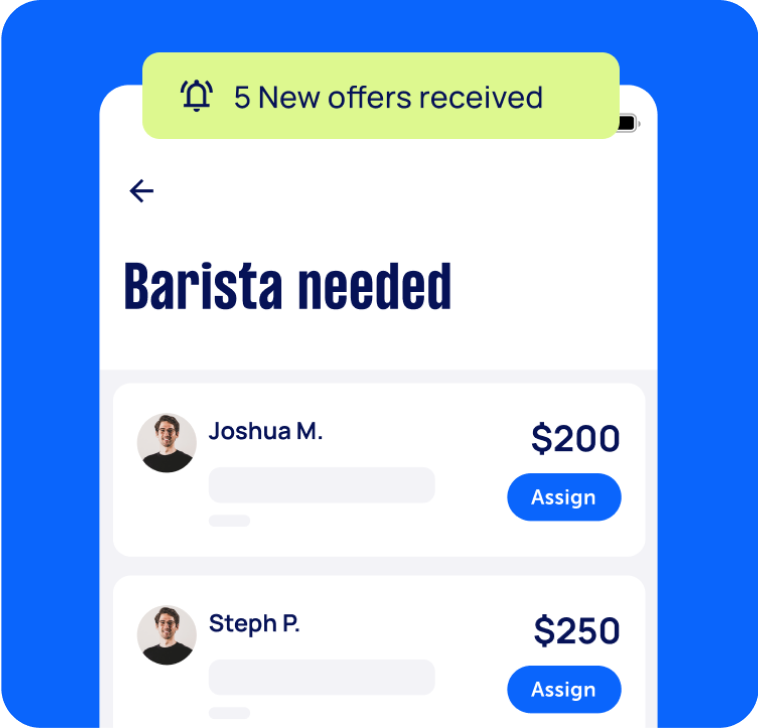
Review offers
Get offers from trusted Taskers and view profiles.
Get it done
Choose the right person for your task and get it done.
76+
Tasks successfully completed
3
Average amount of offers per task
4
mins
Average time to receive offers
Why book a home network setup service through Airtasker?
Setting up a home network for your house or office doesn’t need to be complicated, time-consuming, and frustrating. And no, you don’t need to spend a fortune on IT experts, either. Airtasker lets you easily find affordable and trusted home network installation services near you.
Simply post a task detailing your home network setup needs and budget. You get to specify what you need—whether it’s a wired home network, help with creating user accounts, or an end-to-end installation process. You’ll soon get free quotes from home network services near you. Quickly compare offers and choose the best person for the task.
Airtasker connects you with rated and reviewed home network installers, so you can find reliable specialists in a matter of minutes. This way, you can skip the trouble of asking friends for recommendations or browsing through hundreds of online listings. Select the pink ‘Post a task’ button now to get in touch with home network installation services near you.
Local, skilled pros
Real reviews
Flexible pricing
Offers in no time
Top Home Network Setup related questions
There are three ways to set up remote access to a home network. You can use NAS or Network Attached Storage, use a Remote Desktop tool, or look into third-party software. Feel free to ask your home network setup specialist about the best remote access option for your needs.
If you want a VPN for your home network, you can buy a router with a pre-built VPN solution. You can also try looking for a router that supports third-party router firmware. This lets you “customize” your router’s operating system, including using it with VPN software. Or, you can ask a Tasker about integrating a VPN into your home network.
The main difference between wired and wireless home networks is that wired networks use cables and take more time to set up since you’ll need to run multiple wires. Meanwhile, wireless networks use a wireless router and access point. Wired networks run faster than wireless home networks. But the former may not work with smaller devices, such as smartphones and tablets.
To set up a wireless home network, you’ll need a wireless router, wireless access point, Ethernet hub or switch, connectors, and broadband filters. You’ll need to set up your router and router interface first. Then, make sure that you get a good WiFi signal in every corner of your home. Only then can you connect devices to the internet. A home networking service can make sure to do these steps correctly and swiftly.
A basic home network will need a telephone socket, a telephone connection to your internet service provider, broadband filter, router (or wireless router and access point), and DSL modem. You’ll also need cables, switches, sockets, cable couplers, and cable splitters. Suppose your workspace isn’t ideal for the electrical requirements of a home network (especially if your house or building is old). In this case, you might consider rewiring your current electrical system.
Some home network Taskers may also know how to repair appliances. But expertise may vary from Tasker to Tasker. To address each of your computer concerns thoroughly, you can post separate tasks for home network setup and appliance repair.
Computers & IT Services
Keynote Help
Microsoft Access Help
Android App Development
Computer Hardware
Mobile App Development
iPod Repair
Macbook Repairs
Google Chrome Help
Microsoft Onedrive Help
File Conversion Help
Organise Computer Folders
App Development
Wifi Help
Microsoft Powerpoint Help
Operating System Installation
Screen Repair
Wifi Extender Setup
Macbook Air Repair
Virus Removal
Microsoft Windows Help
Laptop Repair
iPhone Screen Replacement
Software Development
iOS Development
iMovie Help
Router Modem Setup
Computer Repairs
Scanner Setup
Windows Installation
Speed Up Computer
Microsoft Onenote Help
Printer Help
Microsoft Office Help
Microsoft Excel Help
Microsoft Help
iPhone Repair
IT Support
Malware Removal
Laptop Data Recovery
Skype Help
Computer Backup Help
Microsoft Outlook Help
Apple Help
Firewall Setup
Mac OS Help
Microsoft Word Help
iTunes Help
Internet Help
Windows Help
Computer Training
Apple Mac Repairs
Troubleshooting
Data Recovery
Email Setup
Software Help
iPhone Help
Computer Upgrades
Bluetooth Help
Network Troubleshooting
Computer Support
Microsoft Publisher Help
Linux Help
Server Upgrading & Support
iCloud Setup
Mac Setup
Technical Support
VPN Setup
HTC One Repair
Related Locations
Sydney Eastern Suburbs
Inner West Sydney
Inner South Melbourne
Brisbane Southside
Inner South West Sydney
Gold Coast
Sydney Northern Beaches
Sutherland Shire
South East Melbourne
North Brisbane
Sydney
WA
NSW
Ryde
Melbourne Eastern Suburbs
North East Melbourne
Brisbane
Blacktown
VIC
Melbourne Western Suburbs
Melbourne
QLD
Outer East Melbourne
Latrobe Gippsland
Mornington Peninsula
North Moreton Bay
Suggested reads about Home Network Setup


What do home network setup services include?
Home network setup services typically include gathering the components (hardware and software) to set up your wired or wireless home network. Setting up your home network may also involve configuring security settings and connecting all devices in your home (or workplace) to the internet.
A home network setup service does not include assembling your PC—though you can get this done by posting a separate task on our platform. Here’s an overview of the tasks involved in a home network installation service:
Gathering the components for your home network installation
Your Tasker can guide you in choosing the correct hardware and software for your home network setup. If needed, you can also ask your Tasker to obtain the additional supplies for your installation.
Hardware requirements typically include:
A telephone socket
Telephone connection to your internet service provider (ISP)
Broadband filter
Router
Wireless access point
DSL modem
Optional components are WiFi extenders or repeaters, cables, and cable couplers/splitters. You may also need to install some new switches and sockets to your home.
Meanwhile, software requirements may include:
A firewall
Internet connection sharing (ICS)
A computer that will be designated as a router
Connecting your router
Your local network installer needs to ensure all your devices (laptops, desktops, etc.) have a network adapter compatible with your router. Then, they’ll switch off the DSL modem and power up your router. They’ll plug network cables into the router port labelled “Internet” or “WAN.” The other end will go into your modem.
Once the internet signal is strong on both the router and modem, the Tasker will connect the laptops and other devices to the internet.
Accessing and securing the router’s interface
Next, the home network setup specialist will usually connect one laptop to the router and access the router’s interface via a browser, the default IP (Internet Protocol) address, default administrator account, and password. The specialist will then change that laptop’s IP settings to match your router’s settings. This process makes it easy to make any configurations through that particular laptop.
Adjusting your security and IP address settings
Your home network must be secure from cyberattacks (or even just your next-door neighbor leeching off your WiFi). A Tasker can secure your network through the router management interface, usually under the “Security” menu. Having problems with your internet speed? Your computer specialist may also look into the issue and troubleshoot for viruses that might have infected your device.
Setting up a group and user accounts
Home network setup may also include creating a group for easily sharing files, pictures, and printers. Once this step is done, the Tasker sets up user accounts. This can help parents or bosses limit their kids’ or employees’ access to the internet, including who can view and edit documents, see certain file folders, and so on.
The exact process for setting up the group and user accounts may vary depending on the operating system that your devices have. Still, the result will be the same: a secure, easy-to-use wired (or wireless) home network!
Recent Home Network Setup tasks
Home network config
$200
Rockingham WA 6169, Australia
22nd Sep 2026
The network needs tweaking as some computers dont connect plus transfer of some data between computers
Home network security review
$200
Moonee Ponds VIC 3039, Australia
21st Sep 2026
Require a home network / computer security review to ensure it is safe from hacking, including router settings, etc.
Help rewiring home network/keystone jacks
$250
Fig Tree Pocket QLD 4069, Australia
20th Sep 2026
Run supplied Cat6 cable through ceiling/wall + quote further network work I’m currently tidying up and upgrading my home network and need someone experienced with data/network cabling to run a new Ethernet cable to one room. I already have a 300 m roll of Cat6 cable, so the cable will be supplied. There is existing network cabling around the house, but the current cable to this room takes an external route. I’ve recently discovered what appears to be a viable route through the ceiling/roof space and would like to use that instead. Initial job: 1. Assess the existing ceiling/roof access and identify the best route. 2. Pull my supplied Cat6 cable from the network/comms area through the ceiling space to the required room. 3. Drop the cable through the wall to the existing equipment location. 4. Terminate the room end to a proper RJ45 wall plate/keystone. 5. Terminate the comms-room end ready for my patch panel/network equipment. 6. Test the completed run I have a reasonably substantial UniFi home network and am currently reorganising the comms area so potentially more work I will supply the Cat6 cable. Please indicate whether your quote includes the wall plate/keystone, Looking for someone experienced specifically with Ethernet/data cabling.
Home Network Connectivity and IP Address Issues
$100
Bassendean WA 6054, Australia
19th Sep 2026
I'm looking for an experienced IT technician to troubleshoot and resolve ongoing issues with my home network and Windows PCs. Current Network Setup: ISP: iiNet NBN FTTP (850/90 Mbps, PPPoE). Router: Ubiquiti Cloud Gateway Max (UCG-Max). Switches: 2 × Ubiquiti Flex Mini 2.5G. Wi-Fi: Eero Pro 7 (Bridge Mode). CAT6 Ethernet cabling throughout the house. Two Windows PCs connected via Ethernet, including one with a Realtek 2.5Gb adapter. UCG-Max manages DHCP and IP reservations. Main Issues: Windows frequently reports duplicate IP addresses, even when UniFi shows only one device using the affected IP. PCs sometimes receive incorrect IP addresses despite DHCP reservations. Internet connectivity is not always available immediately after starting or waking the devices. Devices occasionally have a valid IP address but no internet access. Similar problems existed with my previous TP-Link equipment, which was replaced with UniFi hardware. What I Need: A comprehensive network assessment to identify and permanently resolve these issues, including: DHCP, IP conflicts and network configuration. Router, switches, Eero Bridge Mode and Ethernet cabling. Windows network settings and Realtek drivers. PPPoE, DNS and MTU configuration. Network optimisation for stable, low-latency gaming (iRacing), Discord and streaming. My goal is to have a reliable network where all devices receive their correct IP addresses and connect to the internet immediately, without manual intervention. I would prefer an on-site visit to identify the root cause and implement a permanent solution. Could you please confirm your availability in Perth, estimated cost?
Set up home network and sort Telstra modem
$250
Surry Hills NSW 2010, Australia
27th Aug 2026
When my home was built CAT5 cabling was installed. It runs to each room from a hub under the stairs. We've never used it. We find though that our Telstra modem (new), which broadcasts auto does not work well in some rooms. We have 2-3 Telstra boosters. They though don't help. Eager for someone to check and prep the LAN to allow it to work - no cabling needed. Just link it to the modem. Also to check the auto 2.4 and 5 broadcast or set up two bands.


Fantastic service. Quick and fast solution.
Home network setup
$300
Melbourne VIC 3031, Australia
17th Aug 2026
Need someone who understands unifi home network. Previous owners left cameras, smart doorbell, wifi spots, and a unifi cloud key gen 2+ (and all cabling). I just need to know what (if anything) else to buy, and for it to all be set up. I have a router provided by my isp and a couple of cheap tp link switches if they are of any use.


Richard made a challenging job easy! He definitely knows his stuff when it comes to unifi networks! Highly recommend!
Home network setup
$100
Perth WA 6065, Australia
10th Aug 2026
Setup of home network, configuration of all the settings and ensuring network is safe and secure. Looking for someone with good understanding of cyber security and able to provide ongoing assistance and possibly will need network setup for a local small business.
Ubiquiti home network configuration,
$200
North Ryde NSW 2113, Australia
30th Jul 2026
"I have two Ubiquiti ceiling access points, a 16-port UniFi PoE switch, and an Optus Gen 2 modem. The Ethernet cables are already installed to the ceiling. I need the APs mounted, the switch installed, everything configured in UniFi, firmware updated, Wi-Fi optimised, and tested." The upstairs AP is accessible with a small ladder. The downstairs installation need a large ladder as the ceiling height is 5m. All cables are in place


Excellent work by Salih. Very quick and efficient. Very knowledgeable around networks.
Home Network Setup & Wi-Fi Coverage Optimisation MESH
$200
Redcliffe WA 6104, Australia
23rd Jul 2026
Task Description: I'm looking for an experienced home networking technician to configure and optimise my home network. The job includes: Configure and optimise my existing home network. Set up and test two home offices with reliable wired and wireless connections. Configure my TP-Link Archer router, switches, and mesh Wi-Fi system. Optimise internet coverage throughout the house using mesh access points. Ensure devices roam seamlessly between mesh nodes. Configure the network for maximum speed, stability, and reliability. Check and troubleshoot any existing network issues. Advise on the best placement of mesh units and whether any additional hardware is required. Ensure smart home devices, printers, and other network equipment remain connected and functioning correctly. If possible, assist with my NVR/security camera network configuration. Current Equipment: TP-Link Archer AX3000 Router TP-Link Deco E4 Mesh Wi-Fi (multiple units) TP-Link RE815XE Wi-Fi Extender Network switches NVR with PoE security cameras Wired Ethernet throughout the home I'm looking for someone with experience in: Home networking TP-Link products Mesh Wi-Fi systems Ethernet networking Security camera networking (preferred) Please let me know your experience with similar setups and your availability.
Home network fix
$200
VIC 3912, Australia
20th Jul 2026
My Partner is home with my adult kids and she is having trouble with the DSCO internet set up I put in. I am away for work. She said that it is not connecting to certain sites that she needs for work and son can't connect to uni. It is fiber to the house and I did a scan with superloop (Provider) And it looks good. I have the DESC all and ever since yesturday I can't see the network anymore. Might need to re-do the whole thing. System is all Deso M5 units,


Great help. He is on the approval list
Assess my home network and get my devices to a known-good state
$200
Brunswick East VIC 3057, Australia
20th Jul 2026
I have been dealing with what could best be characterised as an APT. I need some to help me diagnose issues with my home network, and get at least one of my devices into a known good state. I have several iphones and google pixels in particular that I do not want to dispose of. If it turns out they are enrollerd in a malicious MDM then i need help choosing a path forward and determining where things are at, One way or the other.
Trouble shoot and resolve already installed home network/Ethernet
$250
Toorak VIC 3142, Australia
14th Jul 2026
Our house is currently wired with 1-3 Ethernet ports in each room and 2 racks of Ethernet ports, we have 5G WiFi and need to somehow wire the WiFi signal to the network rack to give all Ethernet ports internet
Excellent knowledge and exact outcome required
Home network setup
$1,500
QLD 4670, Australia
14th Jul 2026
I need a home network system set up (I’m an electrician I can help with cabling) via a firewall Also needs to be layered and segmented no ISP CCTV camera, home PV solar, kids iPads and guest account + printer. need to be separated from my home business MacBook and my personal iPhone help choosing the correct set up would be great thank you Starting with a modem router through the file to a switch
Set up a Home network using an extender and a router
$150
New Lambton Heights NSW 2305, Australia
11th Jul 2026
Looking for someone to set up a Home network We have recently had FTP NBN installed by Telstra and the connection is downstairs in our house. I need someone who is familiar with setting up Home networks to use an extra extender and an old router that we have to extend the Internet to upstairs as well. Someone versed in mesh networks and reusing old routers would be perfect and if you know what you’re doing, it is a short job.

Arjun went above and beyond the call to make sure we had Internet in our home :-)
Check home network, outlets
$200
Norwest NSW 2153, Australia
30th Jun 2026
need to connect wifi modem to NBN in garage, improve wifi coverage around house

Great service and fixed in no time
Home Network Engineer – LAN, Wi-Fi & Security Optimisation
$400
Erina NSW 2250, Australia
27th Jun 2026
I’m looking for an experienced network engineer to optimise a residential network following a recent move into a new home. This is not a basic router setup job. I’m looking for someone who enjoys building clean, reliable home networks and can troubleshoot, document and optimise the entire setup. Objectives The successful contractor will: ● Audit the existing network ● Identify and map every Ethernet/LAN port throughout the house ● Trace which wall sockets terminate where ● Test and label all ports ● Optimise internet performance across both wired and wireless devices ● Configure the network for maximum speed, reliability and coverage ● Connect and organise all network equipment ● Configure and optimise security cameras ● Improve Wi-Fi coverage upstairs and downstairs ● Recommend any hardware upgrades where worthwhile ● Produce a simple network diagram before leaving Existing Environment The network includes a mixture of: ● NBN internet ● Wired Ethernet throughout parts of the home ● Wi-Fi access points / mesh ● Security cameras ● Smart TV ● PC / Laptop / Printer Deliverables By the end of the visit I would like: ● All LAN ports identified and labelled ● Stable internet throughout the house ● Optimised Wi-Fi coverage ● Wired devices connected where beneficial ● Cameras fully tested ● Advice on any equipment worth replacing ● A documented network map ● Passwords and configuration handed over
Setup my internet home network
$50
Long Jetty NSW, Australia
18th Jun 2026
Setup ASUS ZenWiFi xd5 with home internet


Great work, thanks for setting this up on my parents network and clear explanation to them, will recommend you to others on the central coast
Need some help running a home network. 3 ethernet runs
$250
Randwick NSW, Australia
23rd May 2026
I need help running three cat 6 ethernet runs. Three new wall plates. There is good underfloor access (e.g. it is possible to stand and I am happy to help).

Great job. Professional and hard working. Would hire again.
Cat6 LAN Cable Termination & Home Network Setup
$150
Croydon VIC 3136, Australia
20th May 2026
Hi, I need help finishing a home network setup at my house. The house is already wired with Cat6 LAN points. I have a rumpus/living area panel with 5 LAN ports, and I’ve identified that 4 of them connect to rooms in the house. There is also an NBN-labelled port, a garage LAN port, and a loose Cat6 cable near the old NBN/garage area that need to be identified and tested. Looking for someone experienced with data cabling/home networking to: * Identify and test the mystery Cat6 cable/garage/NBN link * Terminate loose Cat6 cable(s), likely T568A * Confirm which port goes where * Connect the incoming line to the rumpus distribution panel NBN FTTP is already active and working. I just need the internal LAN cabling finished properly so the room ports can be used. Should be a straightforward job for someone with the right tools/tester.

Highly recommend! Came on time, was very professional and patient in troubleshooting our complicated home internet/LAN cable setup. Took the time to identify the issue properly and got everything working smoothly. Great communication and very knowledgeable. Thanks again for your help!
IT specialist - configure home network and get baby devices working
$200
Woollahra NSW, Australia
14th May 2026
I have a number of devices for my newborn which require certain network settings to operate. I’ve gotten some working (ie I’ve turned off band steering, moved to 2.4Ghz, amended SSID) - but it seems to have now caused issues with my printer and home (smart) doorbell. My Owlet sock (oxygen sock for baby) isn’t able to connect at all. Need someone to come and troubleshoot/configure my network settings and ensure everything is working.


Michael came very promptly, was friendly and knowledgeable, and persevered to get everything working for us. Would recommend and will use him again. Thanks!