Find a professional home network setup service in Ryde
Fill in a short form and get free quotes for home network setup services in Ryde
Great rating - 4.2/5 (11114+ reviews)
Need a home network service?
- Home network installation
- Home wireless network setup
- Wired home network setup
- Home network VPN
- … or anything else
Best rated home network setup technicians near me


Latest Review
"Highly recommend knows his stuff"
Verified Badges

ID Verified

Mobile Verified

Latest Review
"Excellent job, thanks David!"
Verified Badges

Police Check
ID Verified

Payment Method Verified
Mobile Verified

Twitter Verified

Latest Review
"Fantastic work!! Posted the job and Micheal was here the same arvo. Connected everything up, explained everything and a ..."
Verified Badges
ID Verified
Payment Method Verified
Mobile Verified

Latest Review
"Excellent Service will use again "
Verified Badges
ID Verified

Coles Badge
Payment Method Verified
Mobile Verified

LinkedIn Verified

Latest Review
"Amazing service went out of the way to assist. "
Verified Badges
ID Verified
Payment Method Verified
Mobile Verified


Latest Review
"Robert was very punctual and efficient in dealing with our NBN service and home phone. He resolved all the issues and I’..."
Verified Badges
ID Verified
Mobile Verified
What is Airtasker?

Post your task
Tell us what you need, it's FREE to post.
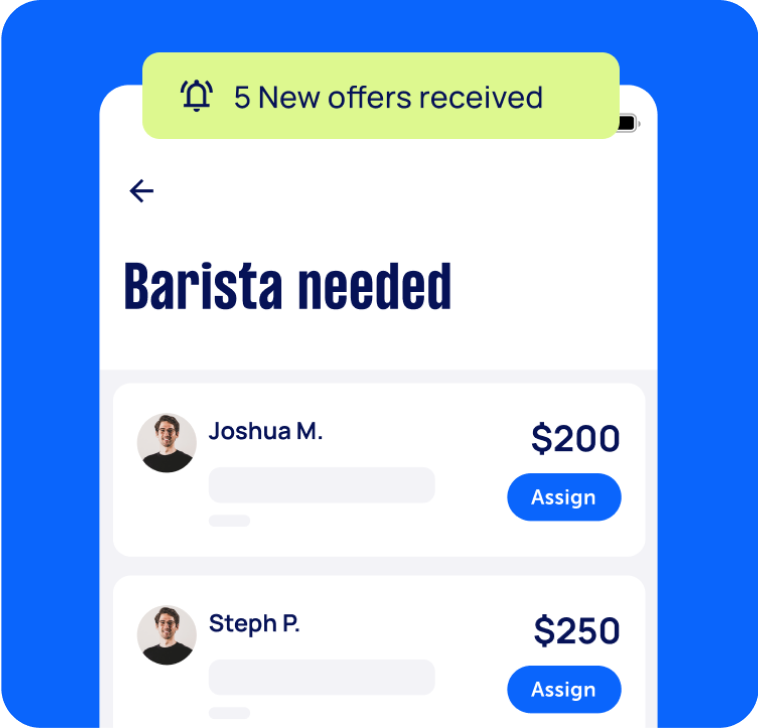
Review offers
Get offers from trusted Taskers and view profiles.

Get it done
Choose the right person for your task and get it done.
Computers & IT Services
Android App Development
Apple Help
Apple Mac Repairs
Computer Support
Computer Training
Email Setup
Internet Help
iPhone Help
iPhone Repair
iPhone Screen Replacement
iTunes Help
Laptop Repair
Macbook Repairs
Microsoft Excel Help
Microsoft Outlook Help
Microsoft Windows Help
Mobile App Development
Network Troubleshooting
Printer Help
Router Modem Setup
Screen Repair
Software Help
Virus Removal
Wifi Help
Windows Help
Windows Installation
Computer Repairs
Technical Support
Data Recovery
Suggested reads about Home Network Setup


What do home network setup services include?
Home network setup services typically include gathering the components (hardware and software) to set up your wired or wireless home network. Setting up your home network may also involve configuring security settings and connecting all devices in your home (or workplace) to the internet.
A home network setup service does not include assembling your PC—though you can get this done by posting a separate task on our platform. Here’s an overview of the tasks involved in a home network installation service:
Gathering the components for your home network installation
Your Tasker can guide you in choosing the correct hardware and software for your home network setup. If needed, you can also ask your Tasker to obtain the additional supplies for your installation.
Hardware requirements typically include:
A telephone socket
Telephone connection to your internet service provider (ISP)
Broadband filter
Router
Wireless access point
DSL modem
Optional components are WiFi extenders or repeaters, cables, and cable couplers/splitters. You may also need to install some new switches and sockets to your home.
Meanwhile, software requirements may include:
A firewall
Internet connection sharing (ICS)
A computer that will be designated as a router
Connecting your router
Your local network installer needs to ensure all your devices (laptops, desktops, etc.) have a network adapter compatible with your router. Then, they’ll switch off the DSL modem and power up your router. They’ll plug network cables into the router port labelled “Internet” or “WAN.” The other end will go into your modem.
Once the internet signal is strong on both the router and modem, the Tasker will connect the laptops and other devices to the internet.
Accessing and securing the router’s interface
Next, the home network setup specialist will usually connect one laptop to the router and access the router’s interface via a browser, the default IP (Internet Protocol) address, default administrator account, and password. The specialist will then change that laptop’s IP settings to match your router’s settings. This process makes it easy to make any configurations through that particular laptop.
Adjusting your security and IP address settings
Your home network must be secure from cyberattacks (or even just your next-door neighbor leeching off your WiFi). A Tasker can secure your network through the router management interface, usually under the “Security” menu. Having problems with your internet speed? Your computer specialist may also look into the issue and troubleshoot for viruses that might have infected your device.
Setting up a group and user accounts
Home network setup may also include creating a group for easily sharing files, pictures, and printers. Once this step is done, the Tasker sets up user accounts. This can help parents or bosses limit their kids’ or employees’ access to the internet, including who can view and edit documents, see certain file folders, and so on.
The exact process for setting up the group and user accounts may vary depending on the operating system that your devices have. Still, the result will be the same: a secure, easy-to-use wired (or wireless) home network!
Recent Home Network Setup tasks in Ryde
Ubiquiti home network configuration,
$200
North Ryde NSW 2113, Australia
30th Jul 2026
"I have two Ubiquiti ceiling access points, a 16-port UniFi PoE switch, and an Optus Gen 2 modem. The Ethernet cables are already installed to the ceiling. I need the APs mounted, the switch installed, everything configured in UniFi, firmware updated, Wi-Fi optimised, and tested." The upstairs AP is accessible with a small ladder. The downstairs installation need a large ladder as the ceiling height is 5m. All cables are in place


Excellent work by Salih. Very quick and efficient. Very knowledgeable around networks.
Tidy up home network security and router cables
$400
Ryde NSW 2112, Australia
27th Dec 2022
I had house renovations done five years ago and network cables were never finished off properly in my study. Now I want someone with computer and network skills to tidy it all up and set up from the Orbi mesh network i have currently installed in the house and upgrade it to the new Telstra router and extender. - Due date: Flexible