Find a local network troubleshooter in Central Coast
Fill in a short form and get free quotes for professional ntwork troubleshooting services in Central Coast
Great rating - 4.2/5 (11114+ reviews)
Need help with troubleshooting your network?
- Hardware checks
- Using ipconfig
- Using ping and tracert
- DNS checks
- Reviewing virus and malware protection
- … or anything else
Best rated network engineers near me

Latest Review
"Tanmay turned up right on time was extremely knowledgeable and helpful with how to use the devices. Very pleased with th..."
Verified Badges

ID Verified

Mobile Verified

Latest Review
"Great efficient service, highly recommend "
Verified Badges
ID Verified
Mobile Verified

Latest Review
"Harsimranjit was super helpful and fixed all our issues really quickly! ⭐️⭐️⭐️⭐️⭐️"
Verified Badges
ID Verified
Mobile Verified

Latest Review
"This was my first time using Airtasker, and I was hesitant about giving someone access to my computer with sensitive inf..."
Verified Badges
ID Verified
Mobile Verified

Latest Review
"Fantastic work!! Posted the job and Micheal was here the same arvo. Connected everything up, explained everything and a ..."
Verified Badges
ID Verified

Payment Method Verified
Mobile Verified

Latest Review
"Thanks for your time and guidance! :) Look forward to meeting you in person and learning. "
Verified Badges
ID Verified
Mobile Verified

Latest Review
"Impressed with the drone videography, thank you."
Verified Badges
ID Verified
Mobile Verified

Latest Review
"Very good guy, came in quick and did excellent job. I would recommend 100%"
Verified Badges
ID Verified
Mobile Verified
Recent Network Troubleshooting reviews in Central Coast

Very patient & helpful
Wireless network disconnected on TV since new router was installed
$70
David took on resolving the complex network issue and configured three other devices in the house. I highly recommend David 👌
Looking for a TV/Network Technician to Resolve Network Connectivity
$200

Great work, thanks for setting this up on my parents network and clear explanation to them, will recommend you to others on the central coast
Setup my internet home network
$50
What's the average cost of a network engineers in Central Coast
$70 - $125
low
$70
median
$75
high
$125

Average reviews for Network Troubleshooting Services in Central Coast
based on 3 reviews
5
What is Airtasker?

Post your task
Tell us what you need, it's FREE to post.
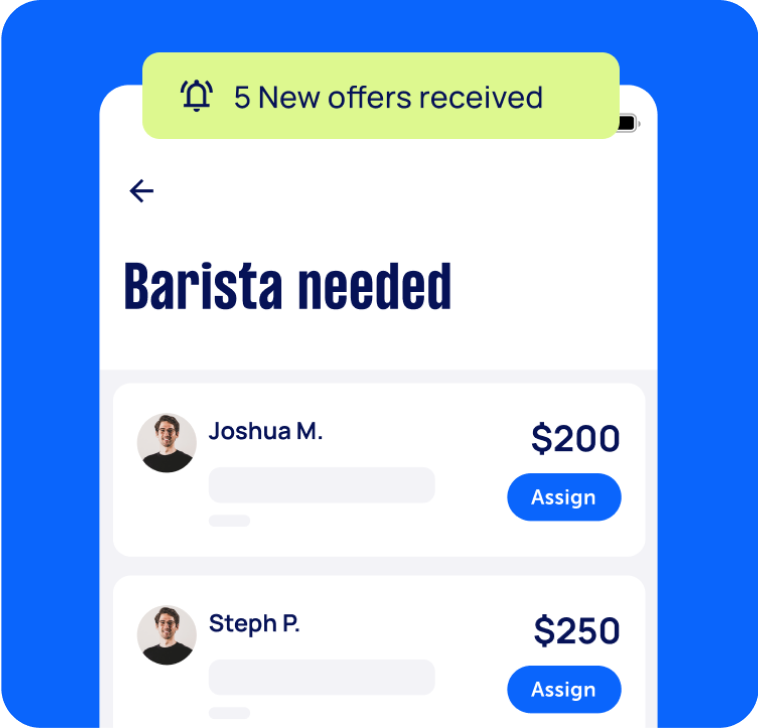
Review offers
Get offers from trusted Taskers and view profiles.
Get it done
Choose the right person for your task and get it done.
Computers & IT Services
Apple Help
Apple Mac Repairs
Computer Backup Help
Computer Support
Computer Training
Email Setup
iCloud Setup
Internet Help
iPhone Help
iPhone Repair
iPhone Screen Replacement
Laptop Repair
Macbook Repairs
Microsoft Excel Help
Microsoft Help
Microsoft Windows Help
Mobile App Development
Printer Help
Router Modem Setup
Screen Repair
Software Help
Wifi Help
Windows Help
Computer Repairs
Technical Support
Related Services near me
Top Locations
Sunshine Coast Network Troubleshooting
Adelaide Network Troubleshooting
Perth Network Troubleshooting
Newcastle Network Troubleshooting
Sydney Network Troubleshooting
Parramatta Network Troubleshooting
Geelong Network Troubleshooting
Melbourne Network Troubleshooting
Canberra Network Troubleshooting
Brisbane Network Troubleshooting
Gold Coast Network Troubleshooting
Suggested reads about Network Troubleshooting


Recent Network Troubleshooting tasks in Central Coast
Home Network Engineer – LAN, Wi-Fi & Security Optimisation
$400
Erina NSW 2250, Australia
27th Jun 2026
I’m looking for an experienced network engineer to optimise a residential network following a recent move into a new home. This is not a basic router setup job. I’m looking for someone who enjoys building clean, reliable home networks and can troubleshoot, document and optimise the entire setup. Objectives The successful contractor will: ● Audit the existing network ● Identify and map every Ethernet/LAN port throughout the house ● Trace which wall sockets terminate where ● Test and label all ports ● Optimise internet performance across both wired and wireless devices ● Configure the network for maximum speed, reliability and coverage ● Connect and organise all network equipment ● Configure and optimise security cameras ● Improve Wi-Fi coverage upstairs and downstairs ● Recommend any hardware upgrades where worthwhile ● Produce a simple network diagram before leaving Existing Environment The network includes a mixture of: ● NBN internet ● Wired Ethernet throughout parts of the home ● Wi-Fi access points / mesh ● Security cameras ● Smart TV ● PC / Laptop / Printer Deliverables By the end of the visit I would like: ● All LAN ports identified and labelled ● Stable internet throughout the house ● Optimised Wi-Fi coverage ● Wired devices connected where beneficial ● Cameras fully tested ● Advice on any equipment worth replacing ● A documented network map ● Passwords and configuration handed over
Setup my internet home network
$50
Long Jetty NSW, Australia
18th Jun 2026
Setup ASUS ZenWiFi xd5 with home internet


Great work, thanks for setting this up on my parents network and clear explanation to them, will recommend you to others on the central coast
Configure home WiFi network for seamless roaming (single SSID)
$10
Hardys Bay NSW 2257, Australia
18th Apr 2026
I have a Telstra Gen 4 modem/router plus two wall-mounted WiFi booster discs at separate locations in my home. Currently each unit broadcasts under a different network name, meaning devices don’t automatically hand off — you have to manually switch WiFi logins as you move around. I need someone to reconfigure the setup so all three units broadcast the same SSID and password, creating a single seamless network. When I walk from room to room, my devices should connect automatically without any manual switching. The work involves: • Accessing the Telstra modem/router admin settings • Reconfiguring the booster discs to operate in access point mode (or enabling roaming/mesh mode if supported) • Testing that devices roam seamlessly between zones Must be comfortable with Telstra home network equipment. Happy to be present throughout. The goal is one WiFi name, one password, whole home covered. Just to be clear job must be performed on April 24 and no other day. The house is a weekender and I am not able to send pics but I believe the extenders are Ubiquiti boosters that were circa 2020 / 2021 models. This is a reprogramming task that an experienced tech should be able to handle without pics and I don't anticipate it taking more than an hour. There are 2 remote extenders which are on separate logins to the modem. I just need a single login. A Somfy guy who worked on some blinds said it was a simple reprogram which he was going to do but ran out of time.
Help to connect new Roborock Qrevo Edge to Wifi network
$75
Forresters Beach NSW 2260, Australia
28th Jan 2026
New Roborock Erevo Edge to be connected to 2.4 Home Wifi
Set up complete integrated home computer network
$200
Gosford NSW, Australia
28th Nov 2025
Evaluate existing home network, recommend components, assure everything works together
Wireless network disconnected on TV since new router was installed
$70
Forresters Beach NSW, Australia
17th Aug 2025
Wireless network disconnected since new router has been installed- automatic IP setup failed.


Very patient & helpful
Looking for a TV/Network Technician to Resolve Network Connectivity
$200
The Entrance NSW, Australia
7th Feb 2025
My name is Ed. I am trying to assist my elderly parents (in their 80s) who just moved to The Entrance. They have TPG networking latency and the TPG call centre language issues. The scope of work is to coordinate with TPG Network support to resolve network and latency issues. Three devices, two iPhone 8s and one iPad, are to be checked for their wireless connections. Network. Important note: They used to live at the same address for over 12 months on the 8th floor, but now they are on the 11th floor. I am looking forward to hearing from you. Ed

David took on resolving the complex network issue and configured three other devices in the house. I highly recommend David 👌
Business IT Network - Ruijie - Create VLANS and troubleshoot
$600
The Entrance NSW, Australia
23rd Nov 2023
We have a Ruijie computer network and are seeking the assistance of someone familiar/experienced with this product and business IT networks to assist our IT in troubleshooting, configuration of the network and implement VLANs for Data, Voice and Guest networks - Due date: Flexible
Network Server rack instillation
$200
Terrigal NSW, Australia
16th Dec 2022
Recently acquired business, We have a Network Server Rack located in a small office that needs moving and tidying up to make room in the space. Cords are everywhere, not contained in black rack box. Needs addressing. Technician must have IT/Computer/eftpos systems experience so that when this job is done it has minimal to no impact on trade at the time. - Due date: Needs to be done on Monday, 19 December 2022